Server Side Tracking Setup & Implementation | Adslytics | Adslytics


Server Side Tracking Setup

Server Side Tracking

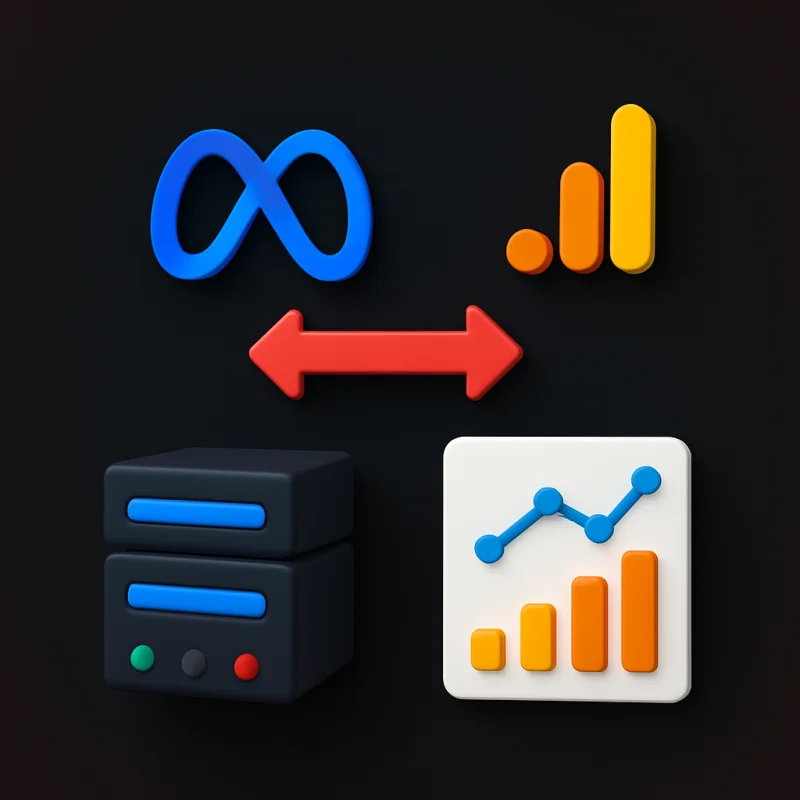
Browser-based tracking is losing up to 40% of conversion data due to ad blockers, ITP, and cookie restrictions. Server-side tagging sends data directly from your server to ad platforms, restoring accuracy and future-proofing your analytics.

Server-side GTM container setup Ad blocker & ITP bypass GA4 server-side event tracking Facebook CAPI server-side setup Google Ads server-side tracking First-party cookie management Page load performance improvement Multi-platform server-side routing GDPR-compliant data control Server-side tracking audit & QA
Top Rated Plus Agency 98% Job Success 232+ Projects $100K+ Earned

Server Side Tracking

Bypass ad blockers and browser restrictions with server-side tracking that captures 100% of your conversion data.

Server Side GTM Setup

Server Side GTM Setup (server-side Google Tag Manager) moves your tracking infrastructure off the browser and onto a dedicated server environment, fundamentally changing how your tags fire and how your data flows to advertising and analytics platforms. Our server-side GTM setup service provisions and configures your tagging server — on Google Cloud Platform, AWS, or a custom domain — installs and configures the GTM server container, migrates your highest-priority client-side tags to server-side equivalents, and sets up the client that receives events from your website and forwards them to the appropriate endpoints. Server-side GTM provides four major benefits: it bypasses ad blockers and browser-based tracking prevention (ITP, ETP, Firefox Enhanced Tracking Protection), it improves your website's page load performance by removing browser-side tag scripts, it gives you complete control over what data is sent to third parties (essential for GDPR compliance), and it extends cookie lifetimes beyond the 7-day ITP cap on Safari by setting first-party cookies from your own server domain. For businesses losing 20–40% of their conversion data to tracking prevention, server-side GTM is the definitive solution.
Server Side GTM Setup

GA4 Server Side Tracking

GA4 Server Side Tracking moves your Google Analytics 4 data collection from the browser to your tagging server, ensuring complete, accurate, and privacy-compliant data flow even when users have ad blockers enabled or browsers apply intelligent tracking prevention. In a standard GA4 setup, the gtag.js or GTM snippet fires from the browser — meaning any user with an ad blocker, or any Safari user where ITP is active, may not be tracked at all. With server-side GA4 tracking, your website sends events to your own first-party server endpoint (e.g. analytics.yourdomain.com), which then forwards them to Google Analytics 4 using the Measurement Protocol. Since the request comes from your own domain, it bypasses virtually all client-side blocking. We configure the GA4 client in your server GTM container, map all your existing GA4 events and parameters to the server-side data model, set up first-party cookie management, and validate data accuracy against your existing GA4 property. The result is a 15–40% increase in recorded sessions and events, more accurate user counts, and GA4 data you can trust for business decisions and Smart Bidding optimisation.
GA4 Server Side Tracking

Facebook CAPI Server Side Tracking

Facebook CAPI Server Side Tracking combines Meta's Conversions API with server-side GTM to create the most reliable, highest-quality event data pipeline between your website and Meta's ad platform — recovering conversion signals lost to iOS 14+, ad blockers, and browser privacy restrictions. In this setup, your website sends events to your tagging server, which simultaneously forwards them to both the browser-based Meta Pixel and the server-side Conversions API. The duplicate events are automatically deduplicated by Meta using the event ID parameter we configure. This redundant approach ensures that even if the browser Pixel is blocked, the server-side CAPI event still reaches Meta — resulting in a higher Event Match Quality score and better campaign optimisation. We configure all standard and custom events (PageView, ViewContent, AddToCart, InitiateCheckout, Purchase, Lead, CompleteRegistration), implement SHA-256 hashing of all customer data parameters (email, phone, name, city, country), configure event deduplication, and validate event quality in Meta Events Manager. Server-side Facebook CAPI tracking consistently improves Event Match Quality scores, reduces cost per result, and improves ROAS across Meta campaigns.
Facebook CAPI Server Side Tracking

Google Ads Server Side Tracking

Google Ads Server Side Tracking routes your Google Ads conversion signals through your own server infrastructure, ensuring conversions are captured accurately even when users have ad blockers, when cookies are restricted by browser privacy settings, or when cross-device conversion paths break the standard cookie chain. Using server-side GTM, we configure a Google Ads Conversion Linker and conversion tracking tag that fires server-side, using the GCLID (Google Click ID) captured and stored as a first-party cookie by your tagging server. Because the GCLID cookie is set by your own domain rather than Google's, it persists longer under ITP and is not blocked by most ad blockers. We also implement server-side Enhanced Conversions, passing hashed customer data (email, phone number) from your server directly to Google Ads — bypassing any browser-level restrictions on accessing customer data from form submissions. For high-spend Google Ads accounts where every percentage point of conversion attribution matters for Smart Bidding accuracy, server-side Google Ads tracking is the gold standard for data quality.
Google Ads Server Side Tracking

Multi Platform Server Side Tracking

Multi Platform Server Side Tracking consolidates all your advertising and analytics data flows through a single server-side GTM container, giving you one controlled, efficient, privacy-compliant hub that forwards events to every platform simultaneously — Google Analytics 4, Google Ads, Meta Pixel, TikTok Pixel, LinkedIn, Snapchat, Pinterest, and more. Instead of loading 8–12 separate third-party scripts in the browser (each one slowing your page load and exposing user data to multiple external domains), your website sends a single event stream to your tagging server, which fans the data out to every platform according to your configuration. This dramatically improves page performance, gives you centralised control over what data each platform receives, and makes adding or removing platforms as simple as toggling a server-side tag. Our multi-platform server-side implementation includes event schema design, per-platform data mapping, deduplication configuration for platforms that receive both browser and server events, and thorough testing of every data flow. For brands running omnichannel paid media across multiple platforms, centralised server-side tracking is the most scalable and future-proof tracking architecture available.
Multi Platform Server Side Tracking

Server Side Tracking Audit & Optimization

Server Side Tracking Audit & Optimization is a comprehensive review of your existing server-side GTM implementation to identify performance bottlenecks, data gaps, misconfigurations, deduplication failures, and opportunities to improve the quality and completeness of your tracking data. Our server-side tracking audit examines your tagging server configuration (correct domain setup, SSL certificate, response codes), the accuracy of event mapping between your client container and server container, the effectiveness of your deduplication logic, cookie expiry settings, data enrichment configuration, and the quality scores reported by each platform (Meta Event Match Quality, GA4 data stream health, Google Ads conversion data diagnostics). We identify issues such as events firing on the server but not reaching the final platform endpoint, customer data parameters being dropped or incorrectly hashed, duplicate events slipping through due to missing event IDs, and server response times causing timeouts that result in lost events. After the audit, we deliver a prioritised optimisation plan and implement all recommended changes — ensuring your server-side tracking infrastructure operates at peak accuracy and reliability.
Server Side Tracking Audit & Optimization

Worried About Your Budget?

STOP RIGHT NOW!

Take a look at our pricing and packages that will fit your needs and budget.

SST Starter

Basic server-side GTM for improved data quality

$299

$149 /One Time
  • Server-Side GTM Setup
  • GA4 Server-Side Tag
  • Basic Cloud Run Configuration
  • Cookieless Tracking Setup
  • Data Quality Audit
  • Setup Documentation
Get Started

SST Professional

Full server-side implementation with major platforms

$699

$349 /One Time
  • Server-Side GTM Container
  • GA4 & Google Ads Server Tags
  • Meta Conversion API (CAPI)
  • Event Matching Quality Optimization
  • First-Party Cookie Setup
  • Subdomain Proxy Configuration
  • Privacy-Compliant Setup
  • Priority Support
Get Started

SST Enterprise

Complete server-side stack with all major ad platforms

$999

$499 /One Time
  • Multi-Platform Server Setup
  • GA4, Google Ads, Meta, TikTok
  • LinkedIn & Pinterest CAPI
  • Custom Server Endpoint Development
  • Advanced Deduplication Logic
  • Real-Time Data Validation
  • Monthly Data Quality Reports
  • Dedicated SST Engineer
Contact Us
The way websites collect data is undergoing a fundamental shift. For over a decade, browser-based tracking dominated digital measurement — a JavaScript snippet in the browser sent user behaviour data directly to analytics and advertising platforms. That model is breaking down. Safari's Intelligent Tracking Prevention (ITP) deletes tracking cookies after 7 days. Firefox's Enhanced Tracking Protection blocks known tracking domains. Chrome continues to phase out third-party cookies. Ad blockers are installed on 30–40% of desktop browsers in many markets. The result: businesses relying solely on browser-based tags are missing 20–40% of their conversion data without knowing it. Server-side tracking solves this problem at the architectural level. Instead of firing tags from the user's browser — where ad blockers, browser privacy settings, and cookie restrictions all apply — your website sends events to your own server, which then forwards them to analytics and advertising platforms. Because the data flows from your server (not the user's browser), ad blockers cannot intercept it, ITP cannot restrict the cookies, and you have complete control over what data is shared with each platform. At Adslytics, we implement server-side tracking using Google Tag Manager's server-side container, typically hosted on Google Cloud Platform with a custom domain (such as analytics.yourdomain.com). This setup allows your website to send a single, unified event stream to your tagging server, which then routes data to GA4, Google Ads, Meta Conversions API, TikTok Events API, and any other platform according to your configuration. The business impact of server-side tracking extends beyond data recovery. Page load performance improves because browser-side scripts are eliminated. Data governance improves because you control exactly what information reaches each third party — stripping personally identifiable information before forwarding to platforms that do not need it. Cookie lifetimes improve because first-party cookies set by your server domain are not subject to ITP's restrictions. For any business where accurate conversion data is the difference between profitable and unprofitable paid media, server-side tracking is no longer a nice-to-have — it is the required foundation for trustworthy measurement.

Got Questions?

Frequently Asked Questions

Client-side tracking fires JavaScript tags in the user's browser, sending data directly to third-party platforms like Google and Meta. Server-side tracking moves this process to your own server — your website sends events to your server, which then forwards them to platforms. Because the data flows server-to-server rather than browser-to-platform, it bypasses ad blockers, browser privacy restrictions (like Safari's ITP), and third-party cookie blocking.
This varies by audience and industry, but businesses with a technically sophisticated audience (common in B2B, SaaS, and tech sectors) often lose 30–40% of conversion events to ad blockers alone. Add Safari's ITP restrictions and cross-device journeys, and total tracking loss can exceed 40%. A server-side tracking audit can quantify your specific data loss by comparing browser-collected events against server logs.
Server-side GTM is Google Tag Manager's server-side container product. Unlike a standard (client-side) GTM container that runs in the browser, a server-side GTM container runs on a dedicated server or cloud environment. Your website sends events to this server using a thin client-side snippet, and the server-side container processes and forwards those events to your analytics and advertising platforms.
Server-side GTM setup requires provisioning cloud infrastructure (Google Cloud Platform, AWS, or similar) and configuring a custom domain. This involves some technical setup that goes beyond typical GTM work. At Adslytics, we handle the complete infrastructure provisioning, GTM server container configuration, client-side to server-side event migration, and testing — so you do not need to involve your infrastructure team.
Most major ad platforms provide server-side APIs: Google Analytics 4 (Measurement Protocol), Google Ads (Conversions API), Meta (Conversions API / CAPI), TikTok (Events API), LinkedIn (Conversions API), Pinterest (Conversions API), Snapchat (Conversions API), and Microsoft Advertising. Server-side GTM has pre-built templates for most of these, and we can build custom integrations for platforms that do not.
Yes — positively. Moving tags server-side removes their JavaScript footprint from the browser, reducing the number of external scripts your page needs to load. Most businesses see meaningful improvements in page load speed and Core Web Vitals scores after migrating from multiple browser-side tags to a server-side architecture.
Server-side tracking does not bypass consent requirements — user consent must still be obtained before collecting personal data. However, server-side tracking gives you much greater control over data governance: you can strip PII before forwarding data to platforms that do not require it, set first-party cookies from your own domain (extending cookie lifetime within ITP constraints), and ensure data sharing with third parties is limited to what is necessary for each platform.
The Meta Conversions API (CAPI) is Meta's specific server-to-server API for sending events directly to Meta. Server-side GTM is a general-purpose tag management server that can send events to many platforms simultaneously, including Meta via the CAPI, GA4 via the Measurement Protocol, and Google Ads via their Conversion API. Server-side GTM lets you centralise all server-side event routing in one place rather than maintaining separate API integrations for each platform.
A server-side GTM setup for a single website, covering GA4 and one or two advertising platforms, typically takes 5–10 business days. This includes infrastructure provisioning, domain configuration, event migration from client-side tags, deduplication setup, and validation testing. Multi-platform implementations with custom event schemas take longer.
No — server-side tracking captures events going forward from implementation. It cannot retroactively recover events that were blocked before server-side tracking was in place. However, once implemented, the ongoing data recovery (20–40% of previously missed events) quickly improves Smart Bidding performance and analytics accuracy.


Trusted by Businesses Worldwide

What Our Clients Say

Real results from businesses who trust Adslytics with their analytics.

"Adslytics did a great job with our GA4 analysis and report. They were able to put complex analytics data into a very understandable document for our client. Highly recommend!"

Eric H.

Digital Agency Owner

"The team was quick with responses, very knowledgeable about issues, and helpful throughout the process. I appreciated their work habits and would hire Adslytics again."

Nick T.

Marketing Manager

"Adslytics is a very professional agency that managed our project successfully. They delivered exactly what was promised and I will definitely hire them again in the future!"

Hady M.

E-commerce Business Owner

Unlock Accurate Tracking That Drives More Revenue

Server Side Tracking — Done Right

Stop losing money to broken tracking. Book a free consultation and we'll review your setup.

All Services

All Server Side Tracking Services

Explore our complete range of specialised sub-services. Click any to learn more.

Server-Side Tracking Server-Side Tagging Setup Server-Side Google Tag Manager GTM Server-Side Implementation Server-Side GTM Migration Server-Side Conversion Tracking Enhanced Conversions Server-Side Google Ads Server-Side Tracking Facebook Server-Side Tracking Server-Side GA4 Tracking Server-Side E-commerce Tracking Server-Side Shopify Tracking Server-Side WooCommerce Tracking First-Party Data Tracking Cookieless Tracking Setup Server-Side Pixel Tracking Server-Side TikTok Tracking Server-Side LinkedIn Tracking Consent Mode v2 Setup Server-Side Tracking Audit Data Layer Implementation Server-Side Tracking Cloud Setup Server-Side Tracking Reporting Server-Side Tracking Maintenance Server-Side Tracking for Lead Generation Server-Side Tracking for SaaS Server-Side Tracking for Agencies Server-Side Tracking Troubleshooting Server-Side Tracking for Publishers Meta CAPI Setup Google Ads Offline Conversion Tracking Server-Side Remarketing Audiences Server-Side Event Deduplication Server-Side Tracking Privacy Compliance Server-to-Server Integration GTM Server Container Management Conversion API Integration Server-Side Tracking Strategy Server-Side UTM Tracking Server-Side Tracking for Mobile Apps Server-Side Attribution Modelling Server-Side BigQuery Integration Server-Side Tag Management Server-Side Tracking for Healthcare Server-Side Tracking for Finance Server-Side Tracking Performance Optimisation Cross-Domain Server-Side Tracking Server-Side Tracking for B2B Server-Side Tracking Migration Conversion Value Optimisation Server-Side Tracking for Real Estate Server-Side Tracking for Recruitment Server-Side Tracking Setup Consultation GA4 Server-Side Implementation Server-Side Tracking Documentation Custom Server-Side Tracking Server-Side Tracking Training Server-Side Tracking for Subscription Boxes Server-Side Tracking for Events Server-Side Tracking for Nonprofits Server-Side Tracking for Education Server-Side Tracking for Travel Server-Side Tracking for Automotive Pinterest Server-Side Tracking Snapchat Server-Side Tracking Server-Side Tracking Health Check TikTok Events API Setup Server-Side Tracking for Hospitality Conversion Tracking for Agencies (SST) Server Side Tracking Server Side Tracking Setup Server Side Tracking Audit Server Side Tracking Migration Server Side Tracking Optimization Server Side Conversion Tracking Server Side Tagging Server Side Tagging Setup Server Side Google Tag Manager Server Side Google Tag Manager Setup Server Side GTM Setup Google Tag Manager Server Side Setup Google Tag Manager Server Container Setup Server Side GTM Migration Server Side GTM Audit Server Side GTM Debugging GA4 Server Side Tracking Server Side Google Analytics 4 Setup GA4 Server Container Configuration Google Ads Server Side Tracking Google Ads Conversion Tracking Server Side Google Ads Enhanced Conversions Setup Facebook Conversion API Setup Meta Conversion API Setup Facebook CAPI Setup Facebook Pixel Server Side Meta Server Side Tracking Meta Event Deduplication TikTok Conversion API Setup TikTok Server Side Tracking Snapchat Conversion API Pinterest Conversion API LinkedIn Conversion API Microsoft Ads Server Side Tracking First Party Tracking Setup First Party Cookie Tracking First Party Domain Setup Cookieless Tracking Setup Privacy Safe Tracking Setup Consent Mode v2 Setup Advanced Consent Mode Setup Google Consent Mode Implementation Stape.io Setup Stape.io Server Side Setup Stape.io GTM Setup Stape.io Server Container Setup Stape.io Google Tag Manager Stape.io Configuration Stape.io Migration Stape.io Custom Domain Setup Stape.io DNS Configuration Stape.io Server Side Tracking Stape.io Conversion API Setup Stape.io GA4 Server Side Tracking Stape.io Google Ads Server Side Tracking Stape.io Facebook CAPI Setup Stape.io First Party Cookie Setup Stape.io Custom Loader Setup Stape.io CDN Setup Stape.io Hosting Setup Stape.io Monitoring Stape.io Troubleshooting Stape.io Audit Google Cloud Server Side Tracking Google Cloud Server Side GTM Google Cloud GTM Setup Google Cloud Run Server Side GTM Google Cloud Run GTM Setup Google Cloud Run Configuration Google Cloud Run Deployment Google Cloud Run Migration Google Cloud Storage Setup Google Cloud DNS Configuration Google Cloud Load Balancer Setup Google Cloud Custom Domain Setup Google Cloud Logging Setup Google Cloud Monitoring Google Cloud IAM Configuration Google Cloud Project Setup Google Cloud Server Container Setup Cloud Run Server Side GTM Custom Domain for Server Side Tracking DNS Configuration for GTM Server Server Container Migration Shopify Server Side Tracking Shopify Facebook CAPI Shopify Server Container Setup WooCommerce Server Side Tracking WooCommerce Facebook CAPI WordPress Server Side Tracking Magento Server Side Tracking BigCommerce Server Side Tracking

Talk to Us. It's Free.

Get accurate conversion tracking that powers smarter ad spend and real business growth.

Talk to Us, It's Free

We are always willing to help. Let us know what you are looking for, and we will develop a unique solution for you.

Thank You!

Your message has been sent successfully. We'll get back to you soon.

Protected by reCAPTCHA — Privacy & Terms

Business Hours

Our support Hotline is available 24 Hours

Toll Free

+1 (818) 245-8385