Tracking & Analytics Learning
Free video tutorials and step-by-step guides on GTM, GA4, conversion tracking, and more.

How to Setup Google Tag Manager in WordPress Website
In this tutorial, I’ll show you how to create a Google Tag Manager container, install GTM on your WordPress website, verify that it is working correctly, and prepare your website for tracking tools like Google Analytics 4, Google Ads, and Meta Pixel. What You’ll Learn: How to create a Google Tag Manager account How to create a GTM container How to install GTM on WordPress How to add GTM using a WordPress plugin How to verify your GTM installation How to prepare GTM for Google Analytics 4, Google Ads, and Meta tracking Need Tracking & Analytics Help? Visit Adslytics.io for professional Google Tag Manager, GA4, Google Ads, Meta Pixel, and conversion tracking services: https://adslytics.io Subscribe for more tutorials on Google Tag Manager, GA4, Google Ads, conversion tracking, and digital analytics. #GoogleTagManager #GTM #WordPress #GoogleAnalytics4 #GoogleAds #ConversionTracking #GA4 #DigitalMarketing
How to Set Up GA4 with Google Tag Manager (Step-by-Step Tutorial)
Want to set up Google Analytics 4 (GA4) using Google Tag Manager (GTM)? In this complete step-by-step tutorial, I’ll show you how to connect GA4 with Google Tag Manager and make sure your website data is being tracked correctly. Whether you’re a beginner, website owner, marketer, or working with Google Ads, having a properly configured GA4 setup is essential for understanding your website traffic and measuring conversions. 📌 What You’ll Learn in This Video ✅ How to create a Google Analytics 4 property ✅ How to create a GA4 Web Data Stream ✅ How to find your GA4 Measurement ID ✅ How to connect GA4 with Google Tag Manager ✅ How to configure the Google tag ✅ How to publish your GTM changes ✅ How to test GA4 tracking ✅ How to verify visitors in GA4 Realtime ✅ How to troubleshoot common GA4 tracking issues ✅ Best practices for a clean GA4 implementation 🎯 Already Need to Set Up Google Tag Manager? This video focuses on setting up GA4 using an existing Google Tag Manager container. If you haven't created and installed Google Tag Manager on your website yet, watch my separate tutorial first: 👉 How to Set Up Google Tag Manager in WordPress • How to Setup Google Tag Manager in WordPre... After setting up GTM, come back to this video to configure GA4 through Google Tag Manager. 📊 Why Use Google Tag Manager with GA4? Using Google Tag Manager makes it easier to manage your website tracking without repeatedly editing your website's code. You can use GTM to manage GA4 events, Google Ads conversions, Meta Pixel, remarketing tags, and many other tracking implementations. Proper tracking also helps you make better decisions from your marketing data and improve your conversion measurement. 🚀 Need Professional Tracking & Analytics Help? I provide professional Google Tag Manager, GA4, Google Ads Conversion Tracking, Meta Pixel, Conversion API, and Server-Side Tracking services. Visit my website: 👉 https://adslytics.io If this tutorial helped you, like the video, subscribe to the channel, and leave a comment with the next Google Analytics or Google Tag Manager tutorial you'd like to see. Thanks for watching!

Google Tag Manager Tutorial for Beginners | Tags, Triggers & Variables Explained
Learn Google Tag Manager (GTM) from scratch in this beginner-friendly tutorial. I’ll explain what Google Tag Manager is, how it works, and how Tags, Triggers, and Variables work together to track user actions and conversions. In this video, you’ll learn: ✅ What is Google Tag Manager? ✅ How Google Tag Manager works ✅ What are Tags? ✅ What are Triggers? ✅ What are Variables? ✅ How Tags, Triggers & Variables work together ✅ Practical GTM examples Whether you're a beginner, marketer, developer, SEO professional, or working with analytics and conversion tracking, this tutorial will give you a solid foundation in Google Tag Manager. Subscribe for more tutorials on Google Tag Manager, GA4, Google Ads, Meta CAPI, Server-Side Tracking and Conversion Tracking. #GoogleTagManager #GTM #GoogleAnalytics4 #GA4 #GoogleAds #ConversionTracking #TagManagement #DigitalMarketing #Analytics #Tracking

My Introduction | Muhammad Farooq | Google Tag Manager & Server-Side Tracking
I fix ad tracking. If Meta, Google Ads, and your website all show different numbers, this is the problem I solve. My name is Muhammad Farooq. I have completed more than 250 projects on Upwork, working with business owners and marketing agencies who need their conversion data to be correct before they spend more on ads. After the iOS privacy changes, most businesses lost a big part of their conversion data. Many of them still do not track properly today. A good server-side setup brings that data back, and your reports start matching again. WHAT I SET UP Google Tag Manager, client-side and server-side GA4 and ecommerce tracking Meta Pixel and Conversions API Google Ads conversion tracking Form and lead tracking Webhook integrations Offline conversion tracking Sending data back to your CRM GDPR cookie consent through Google Tag Manager PLATFORMS I WORK WITH Shopify, WooCommerce, GoHighLevel, Webflow, WordPress, Medusa, and Funnelish I am certified in Google Analytics and Google Ads Measurement. WORK WITH ME We can jump on a call or keep everything in chat. Whatever works better for you. Either way, I deliver on time and I do not miss deadlines. Hire me on Upwork: https://www.upwork.com/freelancers/~018acee77e40ec713e #GoogleTagManager #ServerSideTracking #ConversionTracking #GA4 #MetaCAPI #GoogleAds #GTM #EcommerceTracking #ShopifyTracking #WooCommerce #GoogleAnalytics #DigitalMarketing #MarketingAnalytics #PixelSetup #GDPR
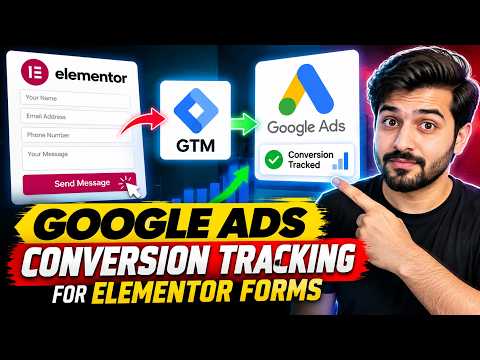
How to Set Up Google Ads Conversion Tracking for Elementor Forms
Learn how to set up Google Ads conversion tracking for Elementor form submissions using Google Tag Manager. In this tutorial, I’ll show you how to track Elementor form submissions accurately and send them as conversions to Google Ads. You’ll learn how to: • Track Elementor form submissions with GTM • Create the right trigger and variables • Set up Google Ads conversion tracking • Test the conversion in Google Tag Manager • Verify conversions in Google Ads • Avoid common tracking mistakes If your Google Ads campaigns are generating leads but your conversion data is missing or inaccurate, this setup can help you fix the tracking. #GoogleAds #GoogleTagManager #Elementor #ConversionTracking #GA4 #LeadTracking
ROAS Went From 2 to 5 After Fixing Meta Ads Tracking
Your Meta Ads aren't always the problem. Missing conversion data could be holding your campaigns back. I implemented server-side tracking, improved customer data matching, and configured event deduplication to help Meta receive more reliable purchase signals. The result? My client's ROAS increased from 2.0 to 5.0 in two weeks. Better data gives Meta a better foundation for campaign optimization. Are you a Shopify store owner struggling with ROAS? Comment with your current number. #MetaAds #ServerSideTracking #ROAS #Shopify #YouTubeShorts
Google Tag Manager Explained in 100 seconds

Full Google Analytics 4 Course for Beginners

Google Analytics 4 Tutorial (2025) Step-by-Step Training

Google Tag Manager Simplified - A Straightforward Guide

Google Tag Manager tutorial for beginners (2026) || GTM Course