Quick Summary
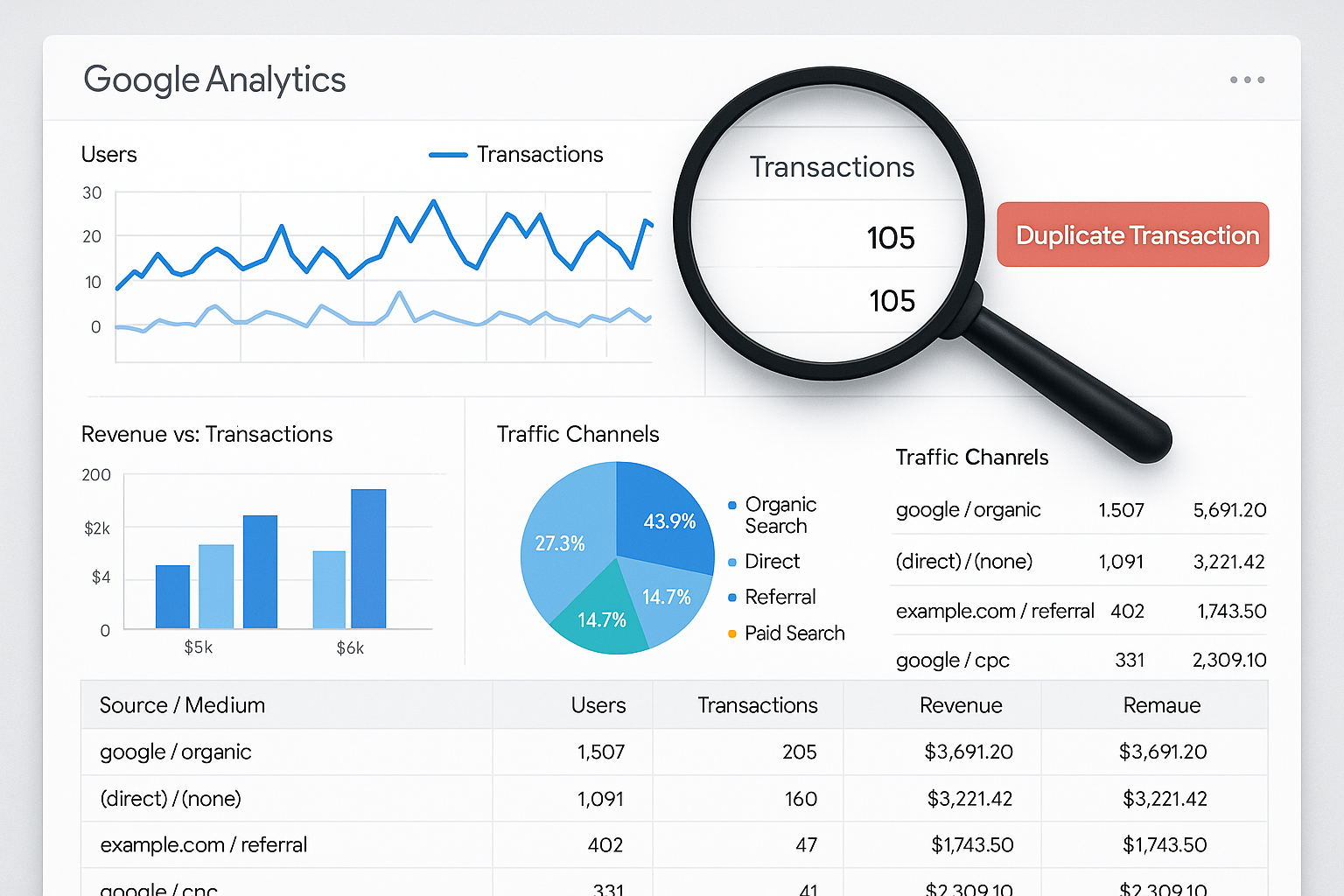
Duplicate transactions in Google Analytics 4 (GA4) can significantly skew your eCommerce data, leading to inaccurate reporting and misguided business decisions. This comprehensive guide explores how to detect and resolve duplicate transactions using GA4 reports and BigQuery queries, identifies common causes of duplicates, and provides detailed solutions for each issue. Additionally, learn how to implement transaction_id deduplication and test your fixes effectively. Increase your analytics accuracy with our expert tips.
Detecting Duplicate Transactions in Google Analytics 4
Using GA4 Reports
Google Analytics 4 provides detailed eCommerce reports that can help you identify duplicate transactions. Start by navigating to the "Monetization" section in your GA4 property, then proceed to "Ecommerce purchases." Look for unusually high numbers of transactions that could indicate duplicates. Key indicators include:
- Repeated transaction IDs
- Unexpected spikes in purchase counts
- Abnormal patterns in conversion metrics
Detecting Duplicates with BigQuery
For a more robust analysis, leverage BigQuery analytics to query your GA4 data. Use SQL queries to identify duplicate transaction IDs. Here's a sample query you can use:
SELECT transaction_id, COUNT(transaction_id) as transaction_count FROM `your_dataset.your_table` WHERE event_name = 'purchase' GROUP BY transaction_id HAVING transaction_count > 1
This query will return any transaction IDs that appear more than once, allowing you to pinpoint duplicates with precision.
Common Causes of Duplicate Transactions
Double GTM Tags
One frequent cause of duplicate transactions is having multiple Google Tag Manager (GTM) tags firing the same purchase event. This can happen if:
- Multiple tags are set to trigger on the same condition
- Tags are not properly configured or are duplicated
To resolve this, review your Google Tag Manager setup and ensure that only the necessary tags are active and properly configured.
Single Page Application (SPA) Routing Issues
SPAs can inadvertently cause duplicate transactions if the same purchase event is sent upon each route change. Ensure your tracking scripts are carefully managed to fire only once per transaction.
Consider implementing a flag system in your JavaScript that checks if a transaction has already been recorded before sending another event.
Page Refreshes
Users refreshing the confirmation page can trigger duplicate transaction events. This is often due to lack of idempotency in transaction recording.
To fix this, use session storage or cookies to store transaction completion status locally, preventing multiple submissions of the same transaction.
Payment Redirects
Redirects from payment gateways back to your site can sometimes trigger duplicate transactions. This typically happens if the return URL is the same as the original confirmation page.
Address this by ensuring your return URL leads to a distinct page or by using a server-side flag to confirm transaction completion once processed.
Implementing Transaction_ID Deduplication
To prevent duplicates at the data layer, implement transaction_id deduplication. This involves:
- Ensuring each transaction ID generated is unique and stored persistently.
- Implementing checks to verify if a transaction ID has already been sent before sending a new purchase event.
Consider using server-side tracking solutions, such as those explained in our Server-Side Tracking Explained in Plain English, to enhance your deduplication strategy.
Testing Your Fixes
Once you've applied the necessary fixes, rigorous testing is crucial. Follow these steps:
- Simulate various user scenarios, including page refreshes and payment redirects, to ensure no duplicates are recorded.
- Use GA4’s DebugView to track events in real-time and verify that purchase events are firing as expected.
- Implement A/B testing to compare data accuracy before and after implementing fixes.
Consider consulting with experts for a GA4 implementation audit to ensure your setup is optimized for accuracy.
Frequently Asked Questions
1. Why are duplicate transactions harmful to my data?
Duplicate transactions inflate your revenue metrics, leading to misleading reports and potentially impacting business decisions based on inaccurate data.
2. How often should I check for duplicate transactions?
Regularly auditing your GA4 setup, especially after significant changes or updates, is recommended to maintain data integrity.
3. Can server-side tracking help reduce duplicate transactions?
Yes, server-side tracking can help manage data more effectively, reducing the risk of duplicate transactions by controlling data flow more rigorously.
4. What are the best practices for managing transaction IDs?
Ensure transaction IDs are unique, persistent, and tracked using both client-side and server-side methods to prevent duplication.
5. How can I ensure my GTM setup is correct?
Conduct regular audits of your Google Tag Manager setup to ensure tags are correctly configured and not duplicating events.
Conclusion
Accurate analytics data is crucial for effective business decisions. By identifying and fixing duplicate transactions in Google Analytics 4, you can ensure that your eCommerce data is reliable and precise. If you need assistance in diagnosing or resolving duplicate transactions, or require a thorough audit of your analytics setup, contact Adslytics for expert guidance.
Need expert tracking setup?
Our Google Tag Manager experts have delivered 500+ tracking setups with a 98% success rate.
Get a Free Consultation →