The Invisible String That Powers Google Ads Attribution
Every time someone clicks a Google Ad and arrives on your website, a string of characters is appended to the URL. It looks something like this:
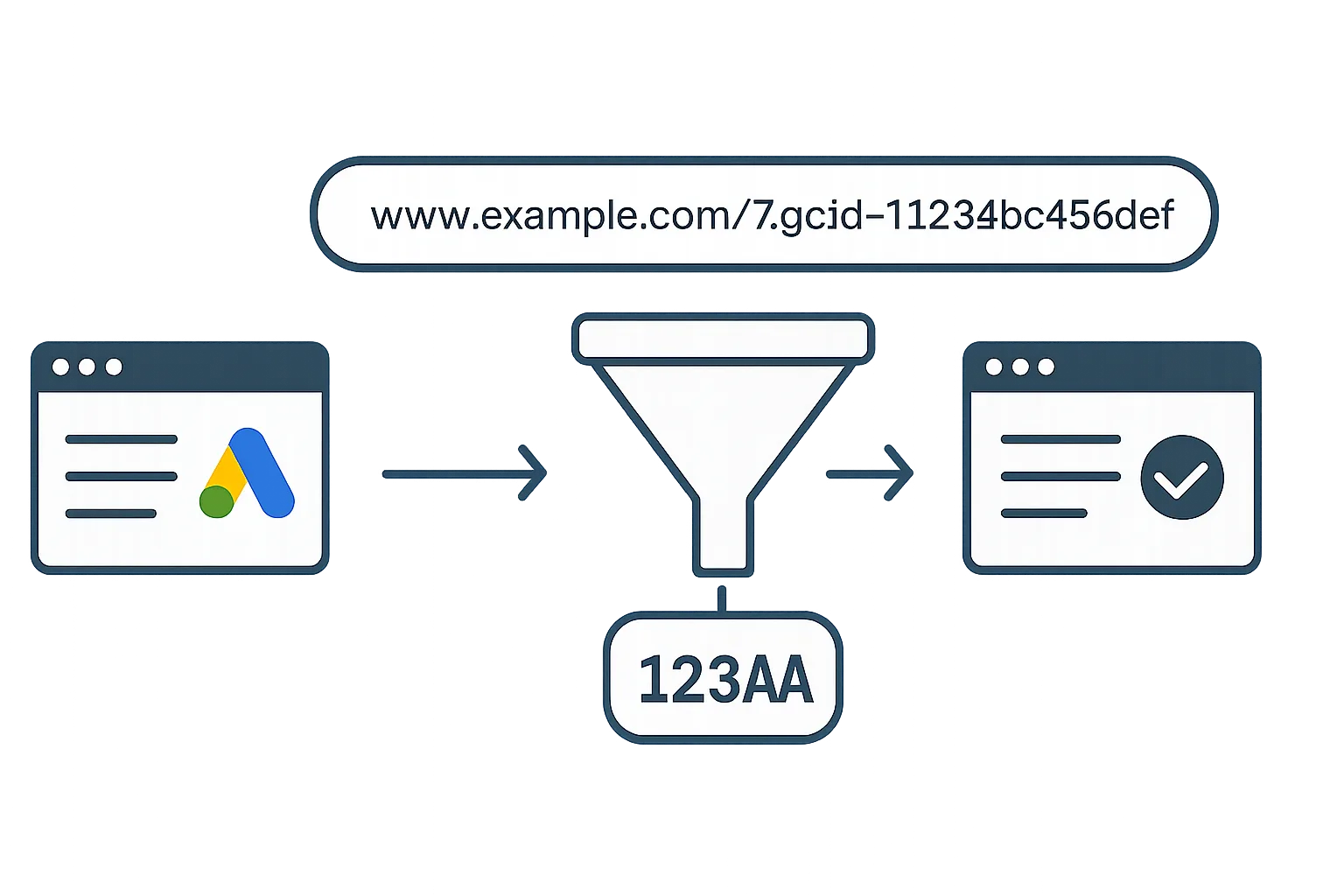
https://yoursite.com/landing-page?gclid=Cj0KCQiAjbWOBhD...That gclid — short for Google Click Identifier — is the foundation of how Google Ads conversion tracking works. Without it, Google cannot attribute a conversion back to the ad click that caused it.
Understanding how gclid works — and what can break it — is essential for anyone running serious Google Ads campaigns.
What Is a GCLID?
A GCLID is a unique alphanumeric string generated by Google for each individual ad click. It encodes information about which ad, ad group, campaign, keyword, and device generated the click.
When a user clicks your Google Ad, Google automatically appends the gclid to the destination URL (this feature is called auto-tagging, and it must be enabled in your Google Ads account settings).
The gclid is stored in a first-party cookie on the user's browser (named _gcl_aw) and remains valid for the duration of your conversion window (up to 90 days).
How Attribution Works: Step by Step
- Click happens: User clicks your Google Ad. Google generates a unique gclid for this click.
- URL is appended: Google redirects the user to your landing page URL with ?gclid=XYZ appended.
- Cookie is set: The Google tag on your website reads the gclid from the URL and stores it in a first-party cookie (_gcl_aw) in the user's browser. The cookie contains the gclid value and a timestamp.
- User browses and converts: The user explores your site, possibly returning on different days. The cookie persists across sessions.
- Conversion fires: When the user reaches the thank-you page, your Google Tag Manager conversion tag fires. It reads the gclid from the cookie and sends it to Google Ads along with the conversion event.
- Attribution recorded: Google Ads matches the gclid to the original click record, attributes the conversion to that click, and updates the campaign/keyword/ad group conversion data.
Why Auto-Tagging Must Be Enabled
Auto-tagging is the feature that appends the gclid to your ad URLs automatically. Without it, no gclid is added, and Google Ads has nothing to use for attribution.
To check: in Google Ads, go to Settings (account level) then Account Settings, and confirm "Auto-tagging" is set to Yes.
If you prefer to use manual UTM parameters for tracking, you can run both auto-tagging and UTM parameters simultaneously — they do not conflict. Auto-tagging handles Google Ads attribution; UTM parameters handle GA4 and other analytics attribution.
What the GCLID Contains
The gclid is an opaque, encrypted token — you cannot decode it yourself. But Google uses it to look up the associated click record, which contains:
- Campaign ID and name
- Ad group ID and name
- Keyword and match type
- Ad ID
- Device type (desktop, mobile, tablet)
- Click timestamp
- Bidding data associated with the click
This is why gclid is so important for offline conversion tracking — when you upload a CSV of closed deals to Google Ads, matching on gclid is how Google connects that offline sale back to every piece of campaign data from the original click.
How Long a GCLID Remains Valid
A gclid cookie has a 90-day lifespan by default. However, your conversion window in Google Ads determines how long after a click a conversion can be attributed.
If your conversion window is set to 30 days (the default), a gclid captured on day 1 will not result in attributed conversions after day 30, even though the cookie itself is still active until day 90.
For B2B businesses with long sales cycles, set your conversion window to 90 days to capture conversions that happen weeks after the initial ad click.
What Breaks GCLID Tracking
1. Landing Pages That Strip URL Parameters
Some websites, CMSs, and redirect configurations strip all URL parameters when the user arrives. If your landing page loads without the ?gclid= in the URL, the cookie is never set and attribution is lost.
Test: click one of your own ads and immediately check the URL in the browser. If the gclid parameter has disappeared, you have a URL stripping problem. This is one of the most common issues we find in conversion tracking audits.
2. Safari ITP and Browser Cookie Restrictions
Safari's Intelligent Tracking Prevention (ITP) limits the lifespan of JavaScript-set cookies. On Safari, the _gcl_aw cookie may expire after 1 to 7 days rather than 90 days.
For users who click an ad on Safari and convert more than a week later, attribution may be lost. Enhanced conversions (using hashed email matching) partially compensates for this.
3. Cross-Domain Journeys
If a user clicks an ad that lands on domain-a.com, then is redirected to domain-b.com to complete the conversion, the gclid is not automatically passed to the second domain. You need to implement cross-domain linker configuration in your Google tag to pass the gclid across domains.
4. Ad Blockers
Some aggressive ad blockers block the Google tag entirely, preventing the gclid cookie from being set. Server-side tracking addresses this by moving tag execution to your server, outside the browser.
GCLID and Offline Conversion Tracking
The gclid is the linchpin of offline conversion tracking. When a lead submits a form, you capture and store the gclid alongside their record in your CRM. When they become a customer, you upload a CSV to Google Ads with the gclid and the deal value.
Google matches the gclid to the original ad click and attributes the revenue to the correct campaign, ad group, and keyword — even if the sale happened months later.
This is covered in detail in our guide to Google Ads conversion tracking for B2B businesses.
GCLID vs UTM Parameters
UTM parameters (utm_source, utm_medium, utm_campaign) are used by GA4 and other analytics tools to attribute sessions. They are human-readable and you can see exactly what they contain.
GCLID is used by Google Ads specifically and is opaque — only Google can decode it. The two systems work in parallel and serve different purposes:
- GCLID: powers Google Ads conversion attribution and offline conversion upload
- UTM parameters: powers GA4 session attribution and cross-channel analysis
You should use both simultaneously on your Google Ads URLs.
Summary
The gclid is the backbone of Google Ads attribution. Every conversion you track, every Smart Bidding decision your algorithm makes, and every offline deal you import is connected back to an ad click through its gclid.
Protect your gclid flow: enable auto-tagging, ensure your landing pages do not strip URL parameters, and implement enhanced conversions to recover attribution lost to cookie restrictions.
For a professional review of your attribution setup, see our Google Ads Conversion Tracking service.
Questions about your attribution setup? Contact Adslytics.
Need expert tracking setup?
Our Google Tag Manager experts have delivered 500+ tracking setups with a 98% success rate.
Get a Free Consultation →