Quick Summary
Enhanced Ecommerce Tracking provides a more detailed view of ecommerce interactions than standard ecommerce tracking. It captures a wider array of customer interactions, from impressions to refunds. This blog post details what Enhanced Ecommerce is, how it differs from standard ecommerce, the events it tracks, how to set it up via Google Tag Manager (GTM), and specific notes for Shopify and WooCommerce. Additionally, it covers the types of reports available in Google Analytics 4 (GA4) and answers common questions about Enhanced Ecommerce.
What Is Enhanced Ecommerce Tracking?
Enhanced Ecommerce Tracking is an advanced feature in Google Analytics that provides a comprehensive view of the entire ecommerce customer journey. Unlike standard ecommerce tracking, which primarily focuses on transactions, Enhanced Ecommerce offers insights into the entire purchase funnel, including product impressions, clicks, and various stages of the checkout process.
Standard vs Enhanced Ecommerce Tracking
Standard ecommerce tracking typically captures basic transaction data such as product names, SKUs, and revenue. In contrast, Enhanced Ecommerce tracks a wider range of interactions, including:
- Product impressions and clicks
- Product detail views
- Additions and removals from shopping carts
- Initiations of the checkout process
- Purchases and refunds
Key Events in Enhanced Ecommerce Tracking
Enhanced Ecommerce encompasses several key events that provide detailed insights into user behavior:
1. View Item
This event tracks when a user views a product detail page. It helps measure the interest in specific products and can guide inventory and marketing decisions.
2. Add to Cart
The Add to Cart event captures when a user adds a product to their shopping cart. This event is crucial for understanding user intent and optimizing the product selection process.
3. Begin Checkout
This event occurs when a user initiates the checkout process. It provides valuable insights into how many users are progressing to the purchasing stage.
4. Purchase
The Purchase event records completed transactions. It includes detailed information like items purchased, quantities, and revenue generated.
5. Refund
This event tracks when a user processes a refund. It helps businesses understand product returns and customer satisfaction levels.
Data Layer Structure for Enhanced Ecommerce Events
The data layer is a crucial component for implementing Enhanced Ecommerce. It acts as a bridge between your website and Google Tag Manager, ensuring accurate data capture.
View Item Data Layer Structure
{"event": "view_item", "ecommerce": {"items": [{"item_id": "12345", "item_name": "Product Name"}]}}
Add to Cart Data Layer Structure
{"event": "add_to_cart", "ecommerce": {"items": [{"item_id": "12345", "item_name": "Product Name"}]}}
Begin Checkout Data Layer Structure
{"event": "begin_checkout", "ecommerce": {"items": [{"item_id": "12345", "item_name": "Product Name"}]}}
Purchase Data Layer Structure
{"event": "purchase", "ecommerce": {"transaction_id": "T12345", "value": 100.00, "items": [{"item_id": "12345", "item_name": "Product Name"}]}}
Refund Data Layer Structure
{"event": "refund", "ecommerce": {"transaction_id": "T12345"}}
Setting Up Enhanced Ecommerce in GTM
Setting up Enhanced Ecommerce in Google Tag Manager involves several steps:
- Create a New Tag: In GTM, create a new tag for each Enhanced Ecommerce event (e.g., View Item, Add to Cart).
- Configure Triggers: Set up triggers to fire tags when specific events occur, such as page views or button clicks.
- Define Variables: Use variables to capture dynamic data like product IDs and transaction values.
- Test and Debug: Use GTM's preview mode to ensure your tags are firing correctly and data is being captured accurately.
- Publish Changes: Once validated, publish your changes to make Enhanced Ecommerce tracking live.
For more detailed guidance, consider our Google Tag Manager setup service.
Shopify and WooCommerce Specific Notes
Shopify
Shopify users can leverage built-in features to streamline Enhanced Ecommerce implementation. Ensure you have the latest version of the Shopify GTM app for seamless integration. Additionally, check out our blog on Setting Up Google Ads Conversion Tracking for Shopify for more insights.
WooCommerce
WooCommerce requires plugins like GTM4WP to facilitate Enhanced Ecommerce tracking. Ensure your plugin is correctly configured to push data to the GTM data layer, capturing all necessary ecommerce interactions.
Reports Available in GA4
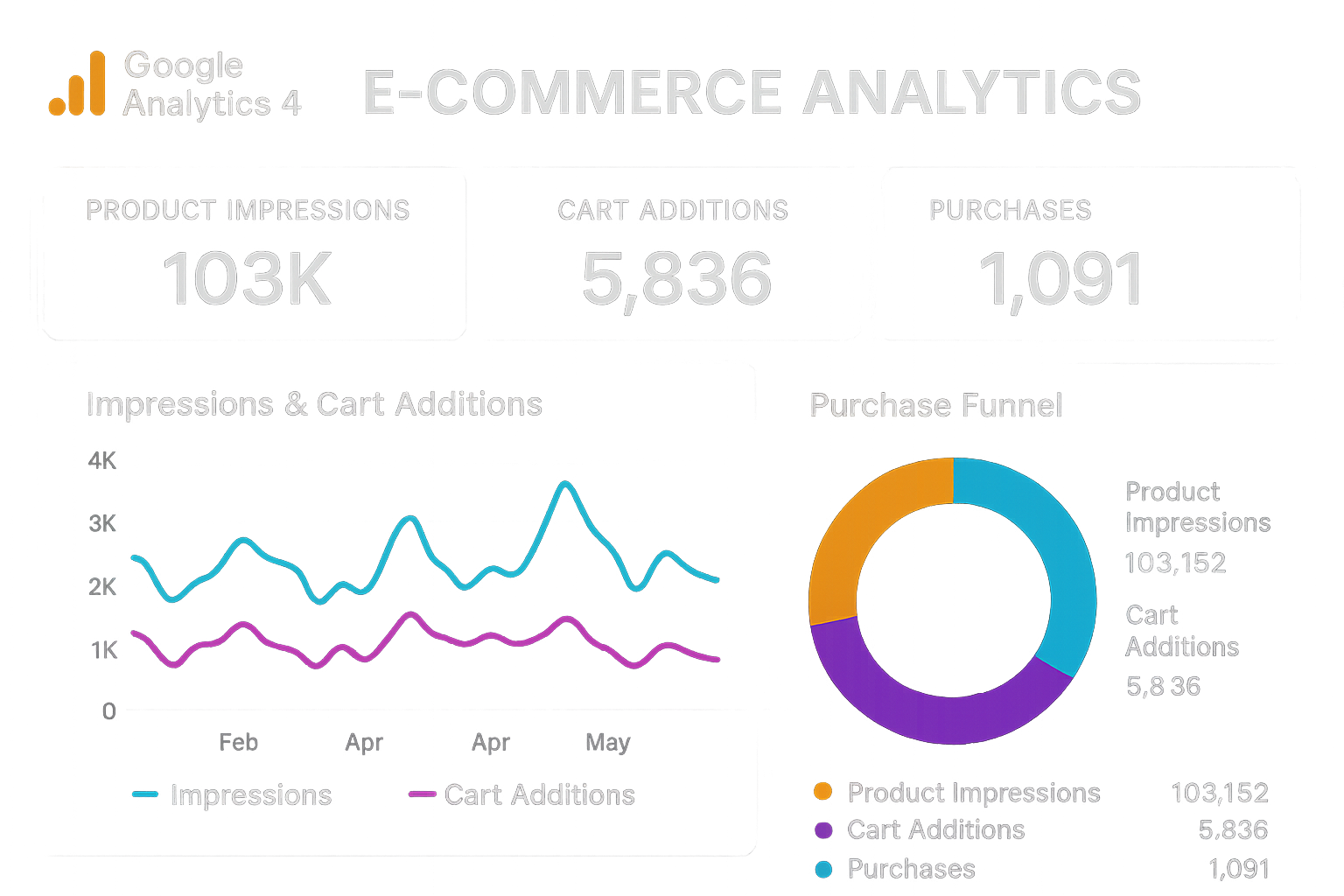
Once Enhanced Ecommerce is set up, GA4 offers a variety of reports to analyze shopper behavior:
- Shopping Behavior: Visualize how users move through each stage of the shopping journey.
- Checkout Behavior: Gain insights into where users drop off during the checkout process.
- Product Performance: Analyze the performance of individual products, including views, purchases, and revenue.
- Sales Performance: Evaluate overall sales metrics, including transaction count and average order value.
For a comprehensive setup, our GA4 implementation service is available to assist you.
FAQ
- What is the main difference between standard and Enhanced Ecommerce tracking?
Enhanced Ecommerce provides a more detailed view of the entire customer journey, tracking events beyond just the final purchase. - How does Enhanced Ecommerce benefit my business?
It offers insights into user behavior at each stage of the purchasing process, helping optimize marketing strategies and improve conversion rates. - Can I implement Enhanced Ecommerce on Shopify?
Yes, Shopify supports Enhanced Ecommerce through its GTM app and built-in features. - What tools do I need to set up Enhanced Ecommerce?
You need Google Tag Manager, a CMS like Shopify or WooCommerce, and a properly configured data layer. - How do I ensure data accuracy in Enhanced Ecommerce?
Use GTM’s debug mode to test your setups and ensure all events are firing correctly.
Conclusion
Enhanced Ecommerce tracking is a powerful tool for gaining in-depth insights into your ecommerce operations. By understanding customer interactions at every stage, you can make data-driven decisions that enhance user experience and improve sales performance. If you need assistance with setting up Enhanced Ecommerce or any aspect of analytics, feel free to contact Adslytics for expert guidance and support.
Need expert tracking setup?
Our Google Tag Manager experts have delivered 500+ tracking setups with a 98% success rate.
Get a Free Consultation →