Quick Summary
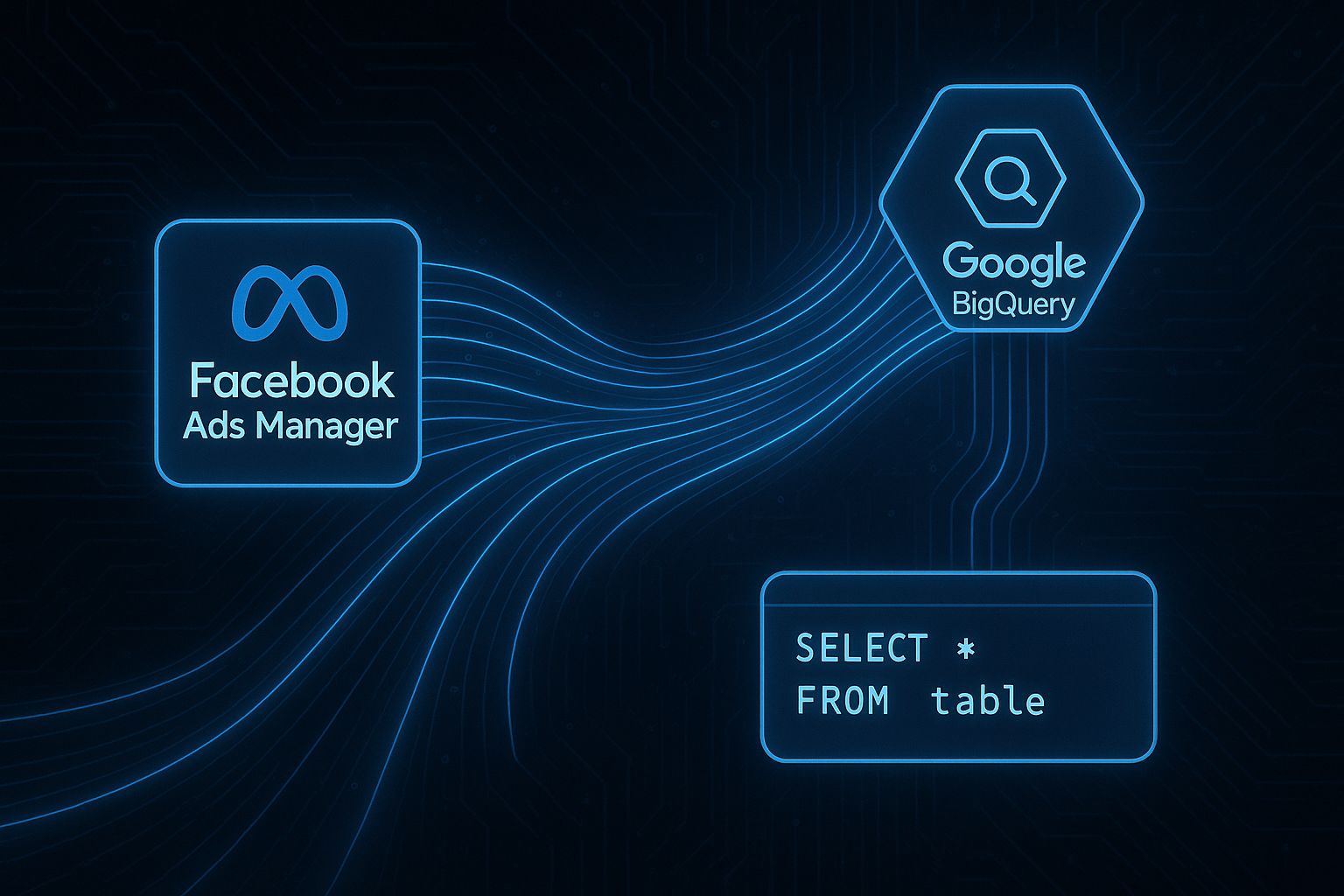
Sending data from Facebook Ads to BigQuery enables businesses to leverage cross-channel analytics, overcome data expiry limitations, and harness powerful querying capabilities. This guide explores why transferring your Facebook Ads data to BigQuery is beneficial, the methods available such as Supermetrics, Fivetran, Airbyte, and a detailed step-by-step guide using Meta Marketing API, Google Cloud Functions, and BigQuery. Additionally, it includes a sample BigQuery schema and useful queries for evaluating cross-channel ROI.
Reasons to Send Facebook Ads Data to BigQuery
In the era of data-driven decision-making, integrating your Facebook Ads data into BigQuery offers multiple advantages:
- Cross-Channel Analytics: By consolidating data from various platforms, you can perform comprehensive cross-channel analytics, helping you understand user behavior across different marketing channels.
- No Data Expiry: Facebook Ads data is typically retained for a limited period. Exporting it to BigQuery ensures you have a long-term repository for analysis.
- Advanced Querying: BigQuery’s powerful querying capabilities enable you to perform complex analyses and generate insights that can inform your marketing strategies.
Methods to Send Facebook Ads Data to BigQuery
There are several methods to transfer Facebook Ads data to BigQuery. Here’s a brief overview:
1. Supermetrics
Supermetrics is a popular tool for marketers looking to effortlessly move data from multiple sources into BigQuery. It offers pre-built connectors and automation features, making it an attractive option for those without technical expertise.
2. Fivetran
Fivetran provides automated data integration, allowing you to sync Facebook Ads data directly into BigQuery. It’s ideal for businesses looking for a hands-off approach to data integration.
3. Airbyte
Airbyte is an open-source data integration platform that supports a variety of connectors, including Facebook Ads. It allows for a more customizable approach to data integration and is suited for businesses with technical resources.
4. Meta Marketing API + Cloud Function + BigQuery
This method involves using Meta Marketing API to extract data, a Google Cloud Function to process it, and BigQuery to store and analyze it. This approach offers the most flexibility and control, especially for custom data requirements.
Step-by-Step Guide to Send Data Using Meta Marketing API
Here’s a detailed guide on how to transfer your Facebook Ads data to BigQuery using Meta Marketing API, Cloud Functions, and BigQuery:
Step 1: Setting Up the Meta Marketing API
- Go to the Facebook Developer portal and create a new app.
- Generate an access token with the necessary permissions to access your ad data.
- Refer to the Meta Conversions API setup for detailed guidance on configuring the API.
Step 2: Creating a Google Cloud Function
- Set up a Google Cloud project if you haven't already.
- Create a new Cloud Function that will fetch data from the Meta Marketing API.
- Deploy the function, ensuring it can authenticate with both Facebook's API and your BigQuery instance.
Step 3: Configuring BigQuery
- Create a new dataset in BigQuery to store your Facebook Ads data.
- Define a schema that matches the data fields you will be importing from Facebook.
- Refer to our BigQuery analytics service for assistance in setting up an optimized schema.
Step 4: Automating Data Transfers
- Schedule your Cloud Function to run at regular intervals, ensuring your BigQuery dataset is updated consistently.
- Monitor performance and error logs to ensure data integrity and troubleshoot any issues promptly.
Sample BigQuery Schema for Facebook Ads Data
Your BigQuery schema should be designed to accommodate all relevant Facebook Ads metrics and dimensions. Here’s a sample schema:
- ad_id: STRING
- ad_name: STRING
- campaign_id: STRING
- clicks: INTEGER
- impressions: INTEGER
- spend: FLOAT
- date: DATE
Useful Queries for Cross-Channel ROI
Once your data is in BigQuery, use these queries to derive insights:
1. Calculate Cost Per Click (CPC)
SELECT
  ad_id,
  SUM(spend) / SUM(clicks) AS cpc
FROM
  `your_project.your_dataset.facebook_ads`
GROUP BY
  ad_id
2. Identify High-Performing Campaigns
SELECT
  campaign_id,
  SUM(clicks) AS total_clicks,
  SUM(spend) AS total_spend
FROM
  `your_project.your_dataset.facebook_ads`
WHERE
  clicks > 1000
GROUP BY
  campaign_id
ORDER BY
  total_clicks DESC
3. Compare Cross-Channel Performance
Integrate with other data sources in BigQuery to compare Facebook Ads performance with other channels:
SELECT
  channel,
  SUM(spend) AS total_spend,
  SUM(revenue) AS total_revenue
FROM
  `your_project.your_dataset.combined_ads_data`
GROUP BY
  channel
Frequently Asked Questions
- Why should I use BigQuery for Facebook Ads data?
- Can I automate the data transfer process?
- What are the costs associated with using BigQuery?
- Is technical expertise required to set up the API method?
- How often should I refresh my Facebook Ads data in BigQuery?
BigQuery offers scalable storage, no data expiry, and powerful querying capabilities, making it ideal for comprehensive analytics.
Yes, using Cloud Functions, you can automate the data extraction and loading process, ensuring timely updates in BigQuery.
BigQuery charges based on storage and query processing. It's essential to optimize queries and manage storage to control costs.
Some technical knowledge is required to configure APIs and Cloud Functions, but it offers the most flexibility and control.
It depends on your analysis needs; however, a daily refresh cycle is common to keep data up-to-date.
Get Expert Help with Adslytics
Integrating Facebook Ads data into BigQuery can transform your analytics capabilities across marketing channels. If you need assistance with setup or optimization, our expert team at Adslytics is here to help. Visit our contact page to get in touch with us today!
Need expert tracking setup?
Our Google Tag Manager experts have delivered 500+ tracking setups with a 98% success rate.
Get a Free Consultation →