The B2B Attribution Problem
For B2B and service businesses, Google Ads generates leads — not immediate sales. A lead submits a form, enters a sales process, and may become a customer 30, 60, or 90 days later. The sale happens offline: via a phone call, a signed contract, or an in-person meeting.
Standard Google Ads conversion tracking only sees the lead. Smart Bidding optimises for lead volume — finding people who submit forms. But your business needs Smart Bidding to find people who become customers. These are often different audiences.
Enhanced conversions for leads is the solution. It is a specific feature within Google Ads conversion tracking designed exactly for this scenario.
What Enhanced Conversions for Leads Does
Enhanced conversions for leads works in two stages:
Stage 1: Capture at Lead Submission
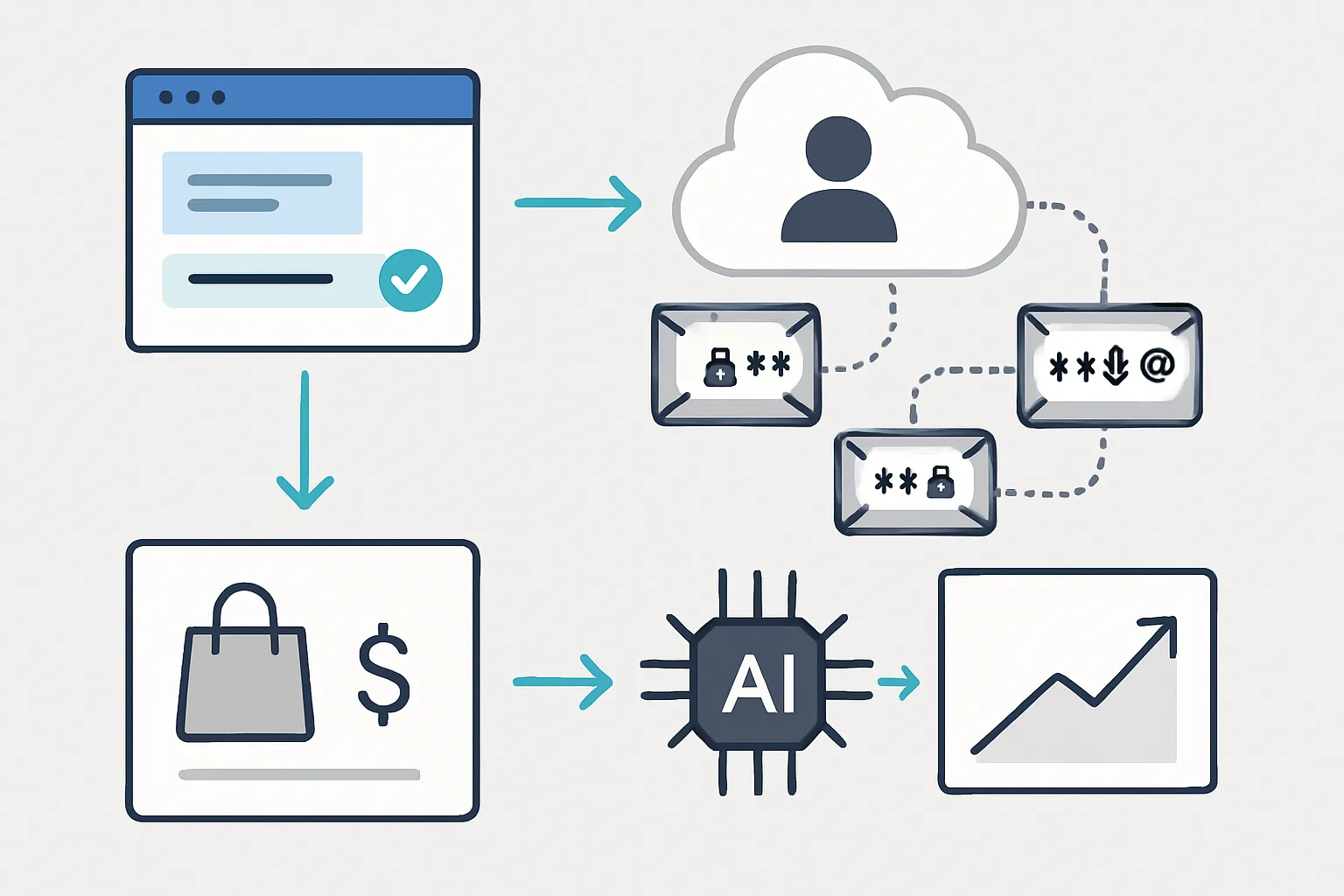
When a lead submits your form, you capture their email address (which they have just provided). You hash this email address using SHA-256 and send the hashed value to Google alongside the lead conversion event.
Google does not receive the raw email — only the hash. Privacy is preserved.
Stage 2: Match at Deal Close
When the lead later becomes a customer (offline), you upload the closed deal to Google Ads — including the hashed email and the deal value. Google uses the hashed email to match this offline conversion back to the original Google Ads click that generated the lead.
This attribution works even if the original GCLID cookie has expired, was blocked by a browser, or was never captured. The email hash provides an alternative matching signal that is much more durable than a browser cookie.
Why This Improves Smart Bidding
Without enhanced conversions for leads, Smart Bidding sees: "Campaign A generated 50 leads at a cost of 30 each."
With enhanced conversions for leads, Smart Bidding sees: "Campaign A generated 50 leads, 8 of which became customers with an average deal value of 5,000."
The difference in bidding quality is dramatic. Smart Bidding can now identify which campaigns, ad groups, keywords, times of day, device types, and audience segments generate actual customers — and bias bids accordingly.
Typical results after implementing enhanced conversions for leads and optimising for offline deal close:
- Lead quality improves (same budget, higher close rate leads)
- Cost per closed deal decreases over time as the algorithm learns
- Budget shifts automatically from high-volume, low-quality campaigns to high-quality, revenue-generating ones
How to Set Up Enhanced Conversions for Leads
Prerequisites
- Google Ads account with an active lead form conversion action
- A Google Tag or Google Tag Manager on your website
- Lead forms that collect an email address
- A CRM or spreadsheet tracking which leads become customers
Step 1: Enable Enhanced Conversions for Leads in Google Ads
- In Google Ads: Tools and Settings then Conversions
- Select your lead form conversion action
- Click Edit settings
- Under Enhanced conversions for leads, toggle it on
- Click Save
Step 2: Send Hashed Email at Lead Submission
On your form thank-you page, push the submitted email address to the data layer before the conversion tag fires:
dataLayer.push({
  event: "lead_form_confirmed",
  user_data: {
    email: document.getElementById("form-email").value
  }
});- Create a User Provided Data variable
- Set it to read from the data layer key user_data.email
- In your Google Ads Conversion Tracking tag, enable "Include user-provided data from your website" and select this variable
- GTM and the Google tag automatically hash the email with SHA-256 before sending
Step 3: Upload Closed Deals with Hashed Email
When a lead becomes a customer, upload the conversion to Google Ads. You can include either the GCLID or the hashed email as the identifier (or both).
CSV upload format with hashed email:
Parameters:TimeZone=+0000
Hashed Email,Conversion Name,Conversion Time,Conversion Value,Conversion Currency
a8b... (sha256 hash),Enhanced Lead - Closed Deal,2026-07-20 09:00:00,8500,GBP
Google matches the hashed email to the original lead submission, links it back to the ad click, and attributes the revenue.
Enhanced Conversions for Leads vs Standard Offline Conversion Upload
| Feature | Standard Offline Upload | Enhanced Conversions for Leads |
|---|---|---|
| Identifier used | GCLID only | GCLID or hashed email |
| Works if GCLID expired | No | Yes (email matching) |
| Works if GCLID never captured | No | Partial (email only) |
| Privacy safe | Yes | Yes (SHA-256 hashing) |
| Integration complexity | Medium | Medium-High |
| Best for | High GCLID capture rate | Any B2B with email on form |
The two methods are complementary — implement both for maximum conversion attribution coverage.
What Smart Bidding Does with This Data
Once offline deal data is flowing via enhanced conversions for leads, Smart Bidding re-evaluates its model:
- It identifies patterns in the ad clicks that eventually become customers vs those that do not
- It increases bids for search queries, audiences, and times of day that historically generate closed deals
- It decreases bids for queries that generate many form submissions but few closed deals
- Target CPA bidding optimises for cost per closed deal — not cost per form fill
This learning process takes 4 to 8 weeks with sufficient data volume. Accounts with fewer than 30 offline conversions per month will see slower adaptation.
Summary
Enhanced conversions for leads is the highest-impact measurement upgrade available for B2B Google Ads accounts. It closes the loop between online lead generation and offline revenue — giving Smart Bidding the revenue signal it needs to find actual customers, not just form-fillers.
Combined with standard GCLID capture and offline conversion upload, it is the foundation of a professional B2B Google Ads measurement setup.
For implementation help, see our Google Ads Conversion Tracking service. If your existing setup needs fixing first, our Conversion Tracking Fix and Debugging service is the right starting point.
Ready to improve your Smart Bidding with enhanced conversions for leads? Contact Adslytics.
Need expert tracking setup?
Our Google Tag Manager experts have delivered 500+ tracking setups with a 98% success rate.
Get a Free Consultation →