Two Ways to Send Conversion Data to Google Ads
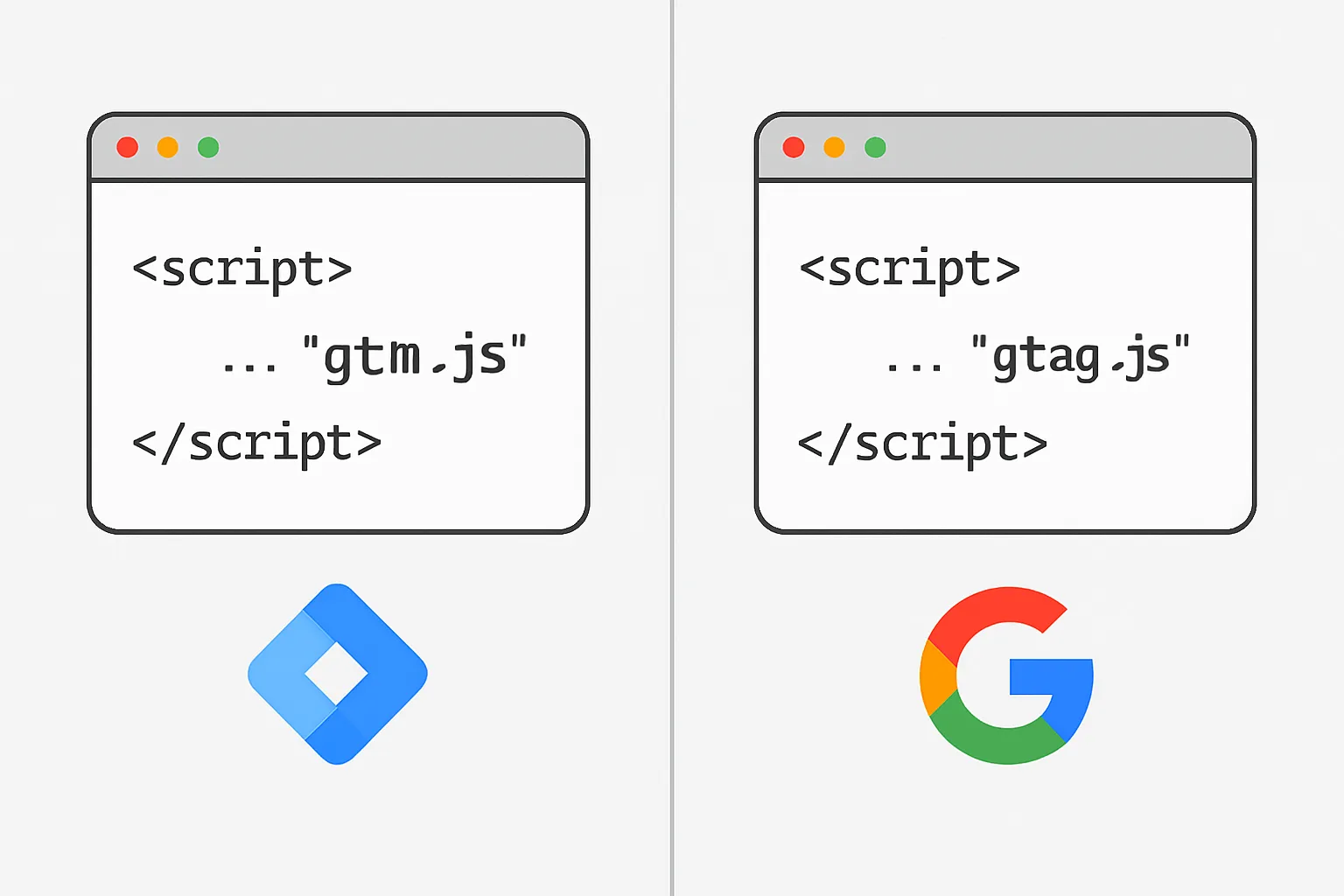
When setting up Google Ads conversion tracking, you have two primary methods: deploying tags through Google Tag Manager, or placing the Global Site Tag (gtag.js) directly in your website's HTML. Both work — but they suit different situations, and choosing the wrong one creates maintenance headaches and accuracy gaps.
The Global Site Tag (gtag.js) — Direct Implementation
The Global Site Tag is a JavaScript snippet Google provides that you paste directly into your HTML. You add the Google Ads snippet to your thank-you page or fire it via JavaScript on form submission.
Pros:
- Simpler setup for a single tag on a simple site
- No third-party tag management tool required
- Works well when a developer controls all code deployments
- Direct connection — no GTM container overhead
Cons:
- Every change requires a code deployment — developer time for each modification
- Multiple conversion actions require multiple hardcoded snippets
- No preview/debug mode — harder to verify firing without browser tools
- Enhanced conversions and dynamic values require additional JavaScript that quickly becomes complex
- Does not scale well when adding additional ad platforms or analytics tags
Google Tag Manager — Tag Management Implementation
GTM acts as a container that manages all your tracking tags from one interface. You install a single GTM snippet on your site, then configure all tags, triggers, and variables through the GTM interface without touching site code.
Pros:
- All tags managed in one place — faster iteration without developer involvement
- Preview and Debug mode for pre-publication testing
- Version control — every change creates a new version you can roll back
- Triggers and variables reused across multiple tags
- Easy to add enhanced conversions, dynamic values, and user data
- Scales to multiple ad platforms (Google Ads, Meta, LinkedIn) from one data layer
- Workspace collaboration for teams and agencies
Cons:
- Additional layer — GTM container script must load before tags fire
- Requires understanding of GTM concepts (triggers, variables, data layer)
- Misconfigured triggers can cause duplicate or missed firing
- Custom HTML tags in GTM can pose security risks if not managed carefully
Which Should You Use?
Use the Global Site Tag if: you have a simple site with one or two conversion actions, a developer available for all changes, and no plans to add other ad platforms or analytics tools.
Use GTM if: you run multiple ad platforms, want to update tracking without developer dependency, need enhanced conversions, are tracking dynamic values (transaction amounts, order IDs), or work with a marketing team that needs tracking flexibility.
For most businesses with any level of marketing sophistication, GTM is the right choice. The ability to deploy and modify tracking without code releases saves significant time and reduces the risk of tracking gaps during site updates.
Running Both Together
If you have an existing Global Site Tag and want to migrate to GTM, you can run both during a transition period. However, be careful of duplicate firing — the same conversion action firing from both the hardcoded tag and the GTM tag will result in inflated conversion counts. Our Conversion Tracking Fix and Debugging service regularly uncovers this exact issue.
Summary
GTM is the professional standard for Google Ads conversion tracking for any business running multiple channels or needing ongoing flexibility. Direct Global Site Tag implementation suits simple, stable setups managed by developers.
Not sure which approach suits your setup? Contact Adslytics.
Need expert tracking setup?
Our Google Tag Manager experts have delivered 500+ tracking setups with a 98% success rate.
Get a Free Consultation →