Why Lead Gen Tracking Is Different
Ecommerce conversion tracking is relatively straightforward — you track purchases and pass the transaction value. Lead generation is more complex because a "conversion" (a form submission) often has uncertain value. The actual money comes later, after sales qualification, demos, proposals, and closing.
Done poorly, lead gen tracking causes Smart Bidding to optimise for contact form volume rather than sales revenue. Done correctly, it gives Google the signals it needs to find the right leads — the ones who actually buy.
What You Will Be Setting Up
- Primary conversion action: contact form submissions
- Secondary conversion action: phone calls
- Micro-conversions: high-intent page visits
- Offline conversion tracking: closed deals imported from CRM
- Enhanced conversions for leads
Step 1: Set Up Form Submission Tracking
This is your primary conversion and the first one to get right.
Option A: Thank-You Page Conversion
If your form redirects to a confirmation URL (e.g. /thank-you) after submission:
- In Google Ads: Tools and Settings then Conversions then New Conversion Action then Website
- Category: Submit lead form
- Value: calculate your average lead value. Example: 3,000 deal times 6 percent close rate equals 180 per lead.
- Count: "One" (one conversion per user)
- Conversion Window: 90 days for B2B
- Attribution Model: Data-Driven
- In GTM: create a Google Ads Conversion Tracking tag triggered on a Page View at the thank-you URL
- Test, publish, and verify
Option B: Form Submit Event (More Accurate)
If your form uses AJAX submission without redirecting to a new page:
- Push a custom event to the data layer when the form submission succeeds:
dataLayer.push({ event: "form_submission", form_type: "contact" });- In GTM: create a Custom Event trigger for form_submission
- Attach the Google Ads Conversion Tracking tag to this trigger
- Test by submitting the form in GTM Preview Mode — confirm the tag fires once after successful submission
Protecting Against False Conversions
- Block your own IP from triggering conversions via GTM trigger exception
- Add a honeypot field to your form to catch bots
- Consider server-side verification: only fire the conversion after your server confirms the form email was valid
Step 2: Set Up Phone Call Tracking
- In Google Ads: Conversions then New Conversion Action then Phone calls then "Calls to a phone number on your website"
- Set minimum call duration: 45 to 60 seconds to filter wrong numbers and voicemail
- Set the conversion window: 30 to 60 days
- Install the website call tracking snippet so Google can replace your number with a tracking number for ad visitors
- Also add a call extension to your ads to enable click-to-call directly from search results
Step 3: Set Up Micro-Conversions
Micro-conversions are high-intent actions that precede a lead submission. They are useful for remarketing audiences and monitoring funnel health.
Common micro-conversions for lead gen:
- Pricing page visited
- Case studies page visited
- Resource downloaded (PDF, guide)
- Demo or booking page visited
- Video watched past 75 percent
- Chat widget opened
Set these up as secondary conversions — not included in the primary Conversions column. Use them to build remarketing audiences for your best-intent visitors.
Step 4: Enable Enhanced Conversions for Leads
- In Google Ads go to Conversions then select your lead form conversion action then turn on Enhanced Conversions for leads
- On your form thank-you page, push the user email to the data layer:
dataLayer.push({
  event: "form_submission",
  user_data: {
    email: document.getElementById("email-field").value
  }
});- In GTM, add a User Provided Data variable to your conversion tag that reads from user_data in the data layer
- Google hashes the email automatically before sending
Step 5: Set Up Offline Conversion Tracking
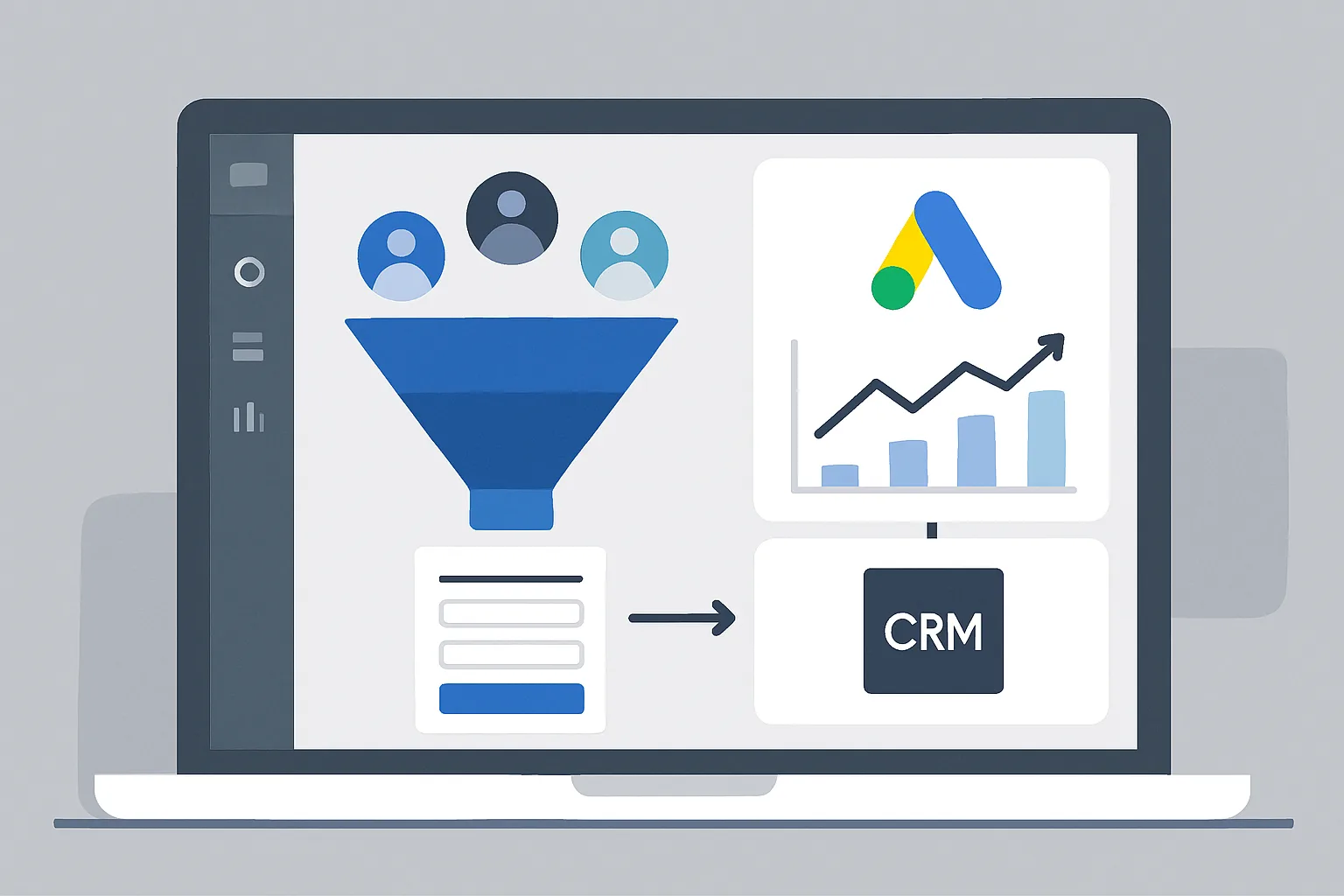
This is the most impactful step for most B2B lead gen businesses — connecting closed deals to the ad clicks that generated them.
Capturing the GCLID
Add a hidden field to every lead form:
<input type="hidden" name="gclid" id="gclid_field">
<script>
var gclid = new URLSearchParams(window.location.search).get("gclid");
if (gclid) document.getElementById("gclid_field").value = gclid;
</script>
CRM Integration
- HubSpot: Connect Google Ads in Marketing then Ads. HubSpot captures gclid automatically on HubSpot forms and syncs to the contact record.
- Salesforce: Use the Google Ads Salesforce connector available in the AppExchange.
- Other CRMs: Use Zapier or Make.com to create a deal with the gclid from the form submission webhook.
Uploading Closed Deals
When a deal closes:
- Export a CSV from your CRM containing gclid, deal close date, and deal value
- Format it as Google Ads requires: Google Click Id, Conversion Name, Conversion Time, Conversion Value, Conversion Currency
- Upload to Google Ads then Conversions then your offline conversion action then Upload
Step 6: Configure Smart Bidding Correctly
- Months 1 to 2 (building data): Use Maximize Conversions with your form submission as the primary conversion. Set realistic CPA targets once you have 30 or more conversions.
- Month 3 and beyond (if offline data is flowing): Switch primary conversion to your offline Closed Deal conversion action. Use Target CPA with your acceptable cost per closed deal.
- Advanced: Assign deal values and use Target ROAS once you have 50 or more closed deal conversions tracked.
The Full Measurement Stack
| Stage | Event | Tracked As |
|---|---|---|
| Ad Click | gclid captured in URL | Auto by Google |
| Form Submit | Thank-you page or form_submission event | Primary conversion (lead) |
| Email captured | Hashed email sent to Google | Enhanced conversions for leads |
| Pricing page visited | Custom event | Micro-conversion and remarketing |
| Phone call | Call tracking forwarding number | Secondary conversion |
| Deal closed | CRM then CSV upload then Google Ads | Offline conversion (primary for bidding) |
Summary
Conversion tracking for lead gen businesses is more than installing a tag. It is a system that connects ad clicks to form submissions, form submissions to qualified leads, and qualified leads to closed revenue.
Build it in stages: form tracking first, then call tracking, then offline conversions. Each stage improves the quality of data feeding Smart Bidding — and the quality of leads Smart Bidding finds.
Get this right, and your Google Ads stops optimising for who fills out forms and starts optimising for who buys.
Need help building this tracking stack for your lead gen business? Adslytics specialises in end-to-end conversion tracking for B2B and service companies.
Need expert tracking setup?
Our Google Tag Manager experts have delivered 500+ tracking setups with a 98% success rate.
Get a Free Consultation →