When Domains Create Attribution Gaps
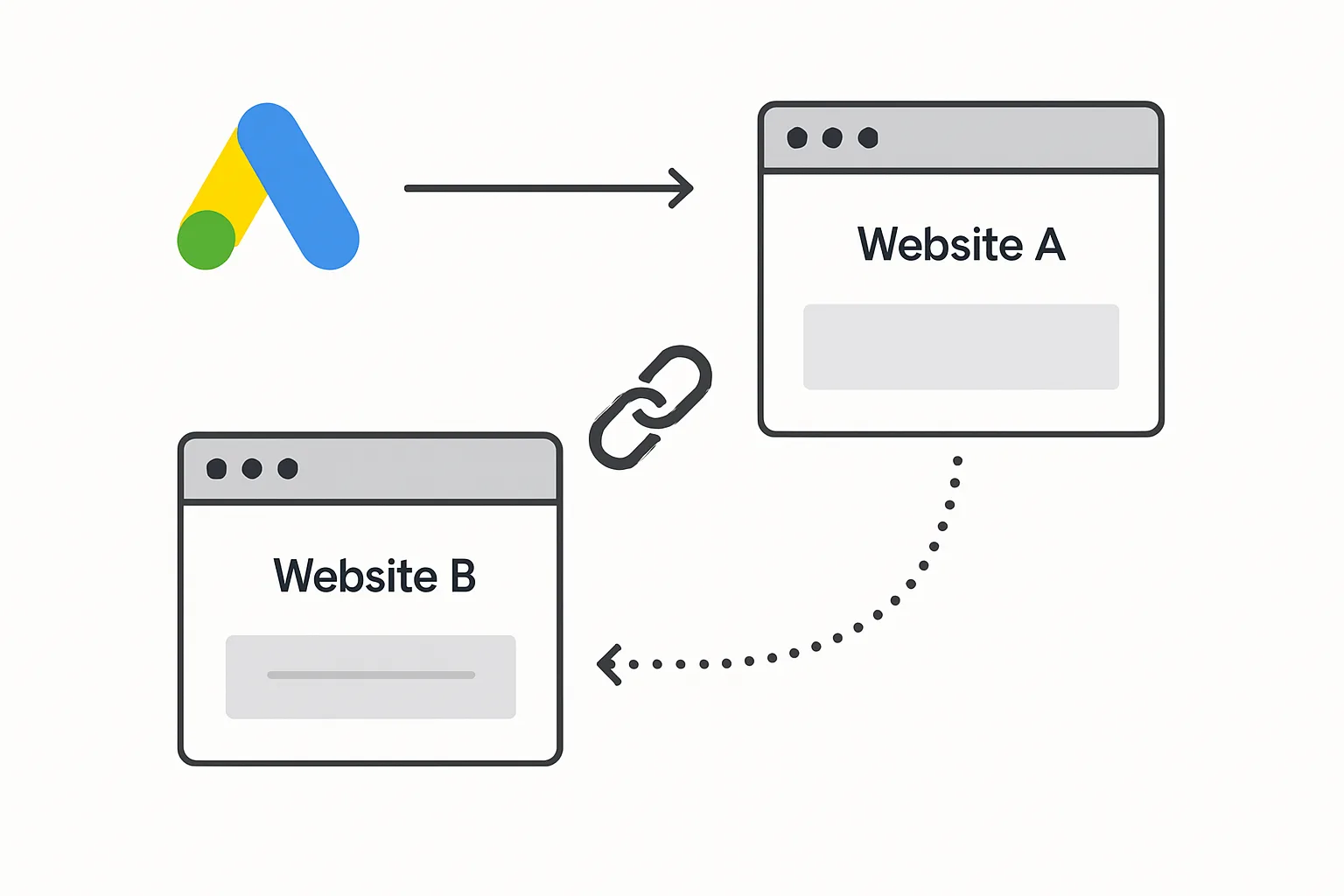
A user clicks your Google Ad and lands on your main website (yourdomain.com). They browse, then proceed to checkout — which is hosted on a separate domain (checkout.payment-provider.com or store.yourdomain.com). When they complete the purchase on the second domain, the conversion tag fires — but the GCLID cookie from the original domain is not available on the second domain. Attribution is lost.
Cross-domain tracking solves this by passing the GCLID from the first domain to the second. It is an essential component of complete Google Ads conversion tracking for any business with a multi-domain user journey.
Common Scenarios Requiring Cross-Domain Tracking
- Main marketing site on one domain, ecommerce checkout on another (Shopify stores using a custom domain sometimes fall into this)
- SaaS businesses with a marketing site and a separate app domain for sign-up
- Businesses using third-party booking, event, or scheduling platforms for conversions
- Multi-brand businesses where users journey between brand-specific domains
- Payment processors like PayPal or Stripe that redirect users to an external URL before returning
How Cross-Domain Tracking Works
The Google tag implements a "linker" mechanism. When a user navigates from domain A to domain B (via a link or redirect), the linker automatically appends a parameter (_gl) to the URL containing the GCLID and other session information. When domain B loads the Google tag, it reads the _gl parameter and recreates the GCLID cookie on the second domain — allowing conversion attribution to continue.
Setting Up Cross-Domain Tracking via GTM
The most reliable method uses Google Tag Manager and the Google tag's linker configuration.
- In GTM: go to your Google Tag (the global site tag configuration tag, not the conversion tag)
- Under "Configuration Parameters", add a new row: Key = linker, Value = (an object with your domains)
- Set the linker configuration:
{"domains": ["yourdomain.com", "checkoutdomain.com"]} - The Google tag will automatically append linker parameters to links pointing to the listed domains
Alternatively, configure cross-domain measurement directly in the Google tag code:
gtag('config', 'AW-XXXXXXXXXX', {
  'linker': {
    'domains': ['yourdomain.com', 'checkoutdomain.com']
  }
});
Verifying Cross-Domain Tracking Works
- Click a link from domain A to domain B and check the URL in the browser. It should contain a _gl parameter (e.g. ?_gl=1*xyz123*...)
- On domain B, open the browser console and run:
google_tag_data.glBridge— if cross-domain linking is working, you will see an object rather than undefined - Check the GCLID cookie on domain B: it should be present if a user arrived from a Google Ads click on domain A
Payment Gateway Redirects
Third-party payment gateways (PayPal, Stripe, Klarna) redirect users away from your domain during checkout and return them after payment. These intermediate redirects can break GCLID tracking.
Solutions:
- For PayPal: use PayPal's IPN (Instant Payment Notification) to trigger your conversion server-side, independent of the browser redirect
- For Stripe: fire the conversion on Stripe's return URL using the GCLID stored in your session or database
- For all payment gateways: store the GCLID in your session or database at checkout initiation, then fire the conversion on the return URL using the stored GCLID via an offline conversion upload
Summary
Cross-domain conversion tracking is necessary any time your user's journey from ad click to conversion crosses a domain boundary. Without it, you lose attribution for all conversions happening on the second domain — making your Google Ads conversion data incomplete and Smart Bidding less effective.
See our Conversion Tracking Fix and Debugging service for a full audit of cross-domain tracking gaps.
Need cross-domain tracking set up? Contact Adslytics.
Need expert tracking setup?
Our Google Tag Manager experts have delivered 500+ tracking setups with a 98% success rate.
Get a Free Consultation →