Three Paths to Facebook CAPI
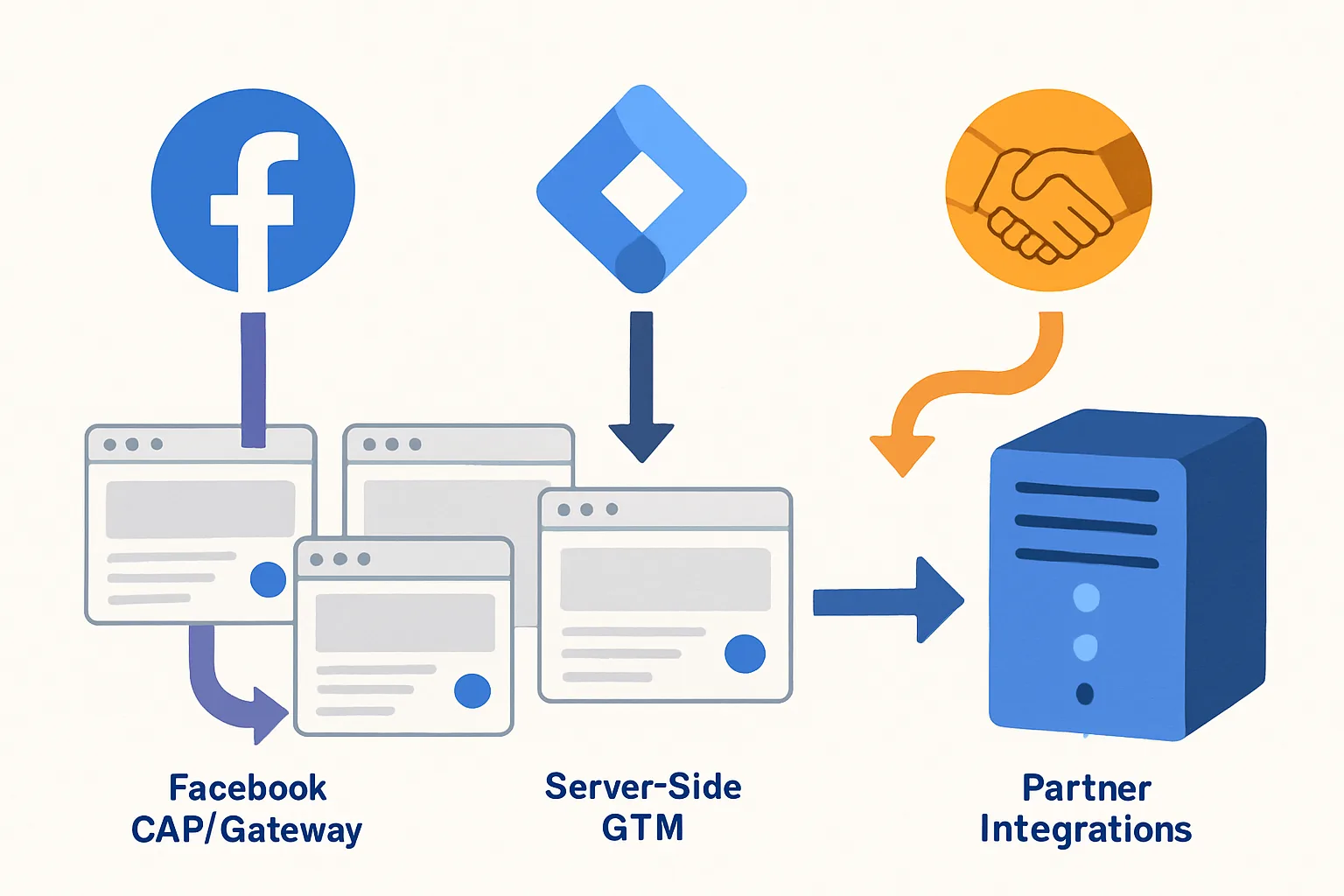
When implementing Facebook Conversions API, you have three main options. Each represents a different trade-off between setup complexity, flexibility, data control, and cost.
Option 1: Meta's CAPI Gateway
Meta provides an open-source CAPI Gateway — a self-hosted server that receives browser events and forwards them to Meta's CAPI. It is essentially a simplified version of server-side GTM specifically for Meta.
Setup: Deploy the open-source CAPI Gateway Docker container on your own server, configure your website's Pixel to send events to it, and it forwards to Meta CAPI.
Advantages:
- Free (Meta maintains the software)
- Dedicated to Meta — no complexity of multi-platform server-side tracking
- Handles deduplication automatically
Disadvantages:
- Requires server infrastructure to host the container (Docker, cloud server)
- Only sends to Meta — does not forward to GA4, Google Ads, or other platforms
- Less flexible than sGTM for custom data enrichment
Best for: businesses that only need server-side tracking for Meta (not multi-platform) and have DevOps capability to manage a Docker container.
Option 2: Server-Side Google Tag Manager
Server-side GTM is a general-purpose server-side tag management platform. It receives events from your website and can forward them to Meta CAPI, GA4, Google Ads, TikTok, and any other platform — in one server container.
Setup: Deploy sGTM (Google Cloud Run, custom server, or managed hosting like Stape.io), configure web GTM to send events to the sGTM URL, add Facebook CAPI tag in sGTM.
Advantages:
- Multi-platform: one server handles Meta CAPI, GA4, Google Enhanced Conversions, TikTok, etc.
- Flexible data transformation and enrichment before sending
- Uses familiar GTM interface
- First-party cookie management (set longer-lived cookies from the server)
Disadvantages:
- Higher setup complexity than CAPI Gateway
- Monthly hosting cost (Cloud Run: ~$20-50/month for typical traffic)
- Requires GTM expertise
Best for: businesses that need multi-platform server-side tracking and are willing to invest in the infrastructure for the long-term benefits.
Option 3: Platform Partner Integrations
Many ecommerce platforms have native or partner CAPI integrations:
- Shopify: native Meta integration (previously Facebook Channel), sends server-side events automatically
- WooCommerce: official Meta Pixel plugin with CAPI support (send events from server on purchase)
- BigCommerce: Meta partner integration in Channel Manager
- Klaviyo, HubSpot, Salesforce: CRM-based CAPI integrations for sending lead events
Advantages:
- Zero-code setup — install the plugin/integration and configure
- Maintained by the platform, automatically updated
- No server infrastructure to manage
Disadvantages:
- Limited customisation — cannot add custom parameters or business-specific data
- You do not control what data is sent or how it is processed
- Platform lock-in — moving platforms requires rebuilding the integration
- May have weaker event matching quality than a properly configured custom implementation
Best for: businesses on supported platforms that want quick CAPI implementation with minimal technical investment and are comfortable with the standard event set.
Decision Guide
- Only need Meta CAPI, have DevOps: → CAPI Gateway
- Need multi-platform server-side tracking, have GTM expertise: → Server-side GTM
- On Shopify/WooCommerce/BigCommerce, want fast setup without customisation: → Partner Integration
- Need custom data (CRM data, subscription type, business-specific fields) in Meta: → Server-side GTM or custom CAPI implementation
Summary
CAPI Gateway is best for Meta-only server-side with infrastructure capability. sGTM is best for multi-platform server-side with GTM expertise. Partner integrations are best for fast deployment on supported platforms. The right choice depends on your technical resources, platform, and whether you need multi-platform server-side tracking beyond Meta alone.
See our Facebook CAPI Setup service for implementation consultation.
Not sure which CAPI approach is right for you? Contact Adslytics.
Need expert tracking setup?
Our Google Tag Manager experts have delivered 500+ tracking setups with a 98% success rate.
Get a Free Consultation →