What Attribution Models Do
An attribution model determines how GA4 assigns credit for a conversion to the different touchpoints in a user's journey. If a user first found you through an organic search, returned via a Google Ad, and converted through a direct visit — which channel gets credit for the conversion?
Different models answer this question differently. Understanding them is essential for interpreting your GA4 channel reports accurately.
Available Attribution Models in GA4
Data-Driven Attribution (Default)
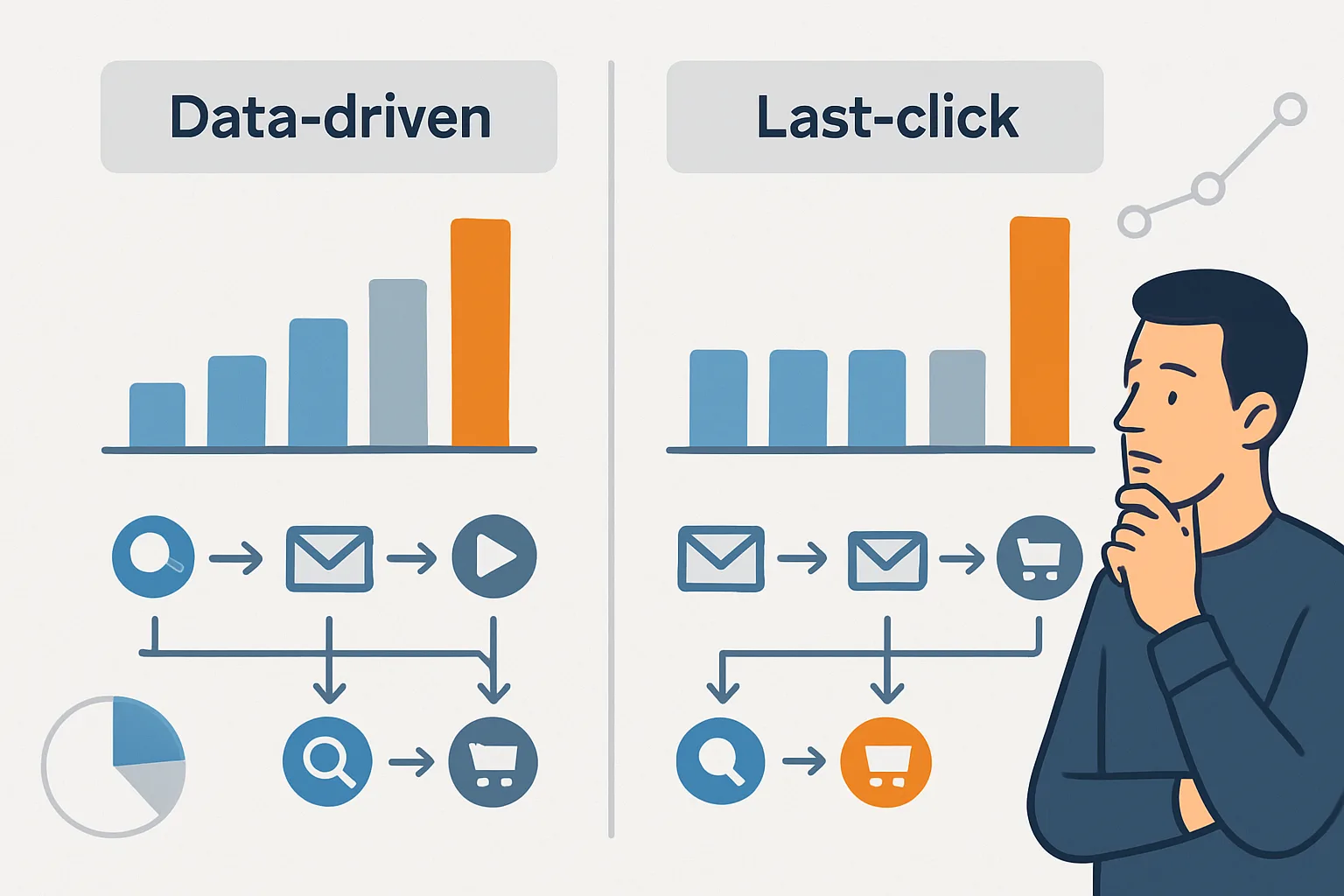
GA4's default model uses machine learning to distribute conversion credit across touchpoints based on their actual contribution. It analyses the full paths of converting and non-converting users to identify which touchpoints have the most influence on conversions.
Best for: most businesses with sufficient conversion volume. Requires at least 400 conversions per month to generate reliable models.
Limitation: the model is a black box — you cannot see exactly how it weights touchpoints. It may also be less reliable for small conversion volumes.
Last Click
100% of conversion credit goes to the last touchpoint before conversion (excluding direct). If the user's last non-direct click was a Google Ad, Google Ads gets all the credit.
Best for: businesses with very short consideration cycles where the last click is genuinely the deciding factor. Also useful as a comparison model against data-driven to see what changes.
Limitation: systematically under-credits upper-funnel channels like organic search and social media that contribute to awareness but are not the last click.
First Click
100% of conversion credit goes to the first touchpoint. If the user first arrived from a paid ad 3 weeks ago, paid ads gets all credit even if they converted through direct traffic.
Best for: measuring channel performance for awareness and acquisition (which channels introduce new customers). Not useful for optimising conversion efficiency.
Linear
Equal credit is distributed across all touchpoints. A conversion with 4 touchpoints gives each 25% credit.
Best for: understanding full-path channel contribution when you want an unbiased view of all touchpoints.
Position-Based (40/20/40)
40% credit to the first touchpoint, 40% to the last touchpoint, and the remaining 20% split across middle touchpoints.
Best for: businesses that care about both awareness (acquisition) and closing (last-touch performance).
Reporting Windows
Separate from the attribution model, the reporting window defines how far back GA4 looks for touchpoints to include in attribution.
- Click-through window: how many days after a click can a conversion be attributed to it. Default: 30 days.
- View-through window: how many days after an ad impression can a conversion be attributed to it. Default: 1 day.
Set these to match your actual sales cycle. A B2B SaaS product with a 60-day evaluation period deserves a 60-90 day click window. An impulse-purchase app may need only 7 days.
Where to Change Attribution Settings in GA4
- Admin (in your GA4 property)
- Attribution Settings
- Choose your model and reporting windows
- Note: changing the model changes ALL historical conversion data in reports retroactively
GA4 Attribution vs Google Ads Attribution
GA4 attribution and Google Ads conversion attribution are separate systems. Google Ads uses its own attribution model for bidding (also data-driven by default), which counts only Google-sourced touchpoints. GA4 attribution considers all channels. Keep both in mind when comparing channel reports between the two platforms.
Summary
Use data-driven attribution as your default if you have 400+ monthly conversions. Use last-click for comparison. Set reporting windows to match your actual consideration cycle. Remember that changing the model retroactively changes all historical reports — document the date of any model change for trend analysis.
See our GA4 Setup & Audit service for attribution configuration.
Need help with GA4 attribution? Contact Adslytics.
Need expert tracking setup?
Our Google Tag Manager experts have delivered 500+ tracking setups with a 98% success rate.
Get a Free Consultation →