Why Every Ecommerce Event Matters
Most ecommerce stores only track one thing: the purchase. This leaves them blind to every step of the purchase journey — which products are being viewed, which are being added to carts, where users drop off in checkout. Enhanced ecommerce tracking in GA4 fills this gap by tracking the complete funnel from product discovery to purchase completion.
The Full GA4 Ecommerce Funnel
Stage 1: Product Discovery
view_item_list: fires when a user sees a list of products (category page, search results, homepage featured products). Each product in the list is included in the items array.
select_item: fires when a user clicks on a product from a list. This event links list performance to product views — GA4 uses it to track "List attribution" (which product lists drive purchases).
Stage 2: Product Detail
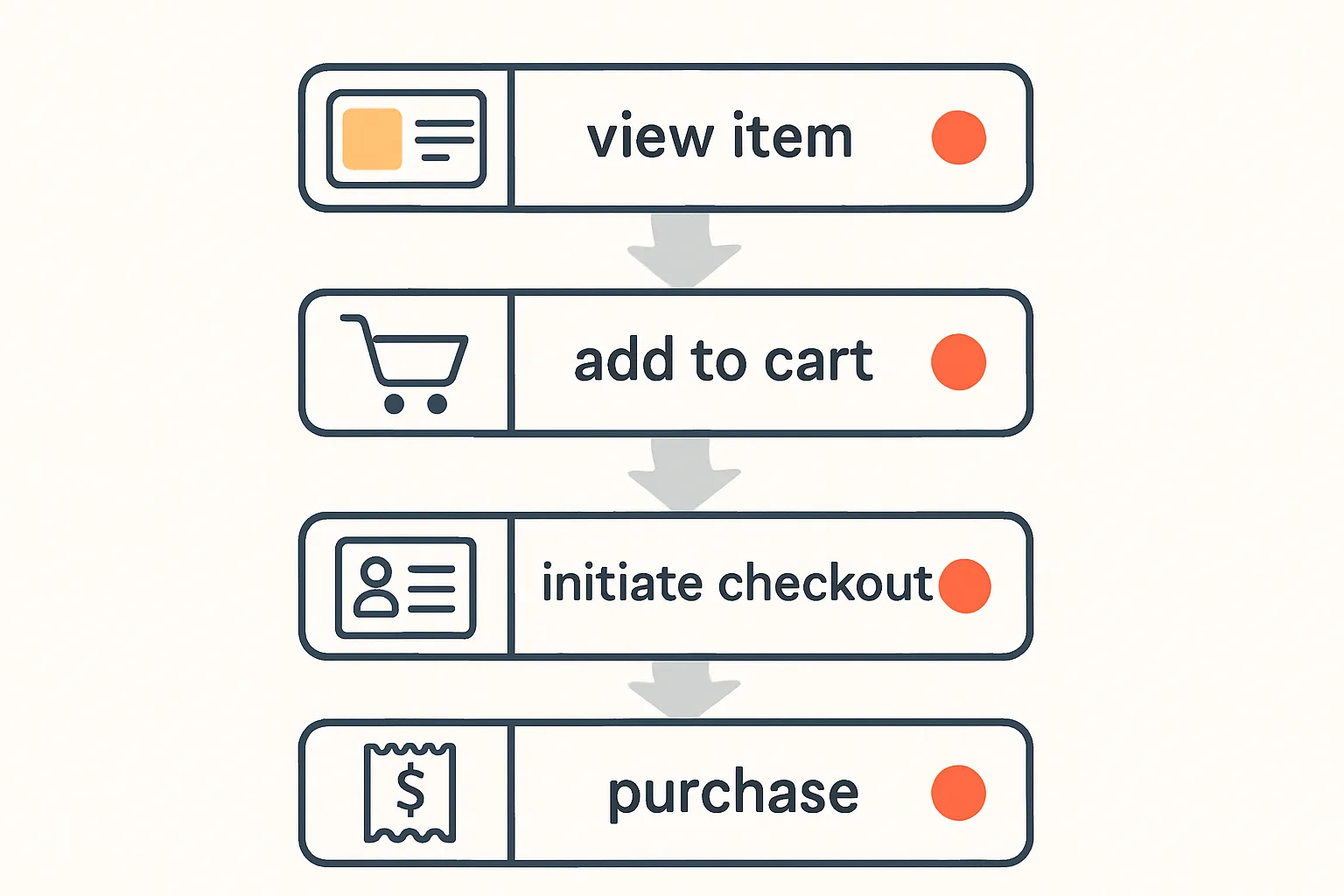
view_item: fires when a user views a product detail page. This is one of the most important events — the gap between view_item count and add_to_cart count reveals how compelling your product pages are.
Stage 3: Cart Interaction
add_to_cart: fires when a product is added to the cart. The gap between add_to_cart and begin_checkout is cart abandonment before checkout.
remove_from_cart: fires when a product is removed. Useful for identifying products users reconsider after adding.
view_cart: fires when the cart page or cart sidebar is opened. The conversion rate from view_cart to begin_checkout shows cart page effectiveness.
Stage 4: Checkout
begin_checkout: fires when the user initiates the checkout process (clicks "Checkout" button). The gap between add_to_cart and begin_checkout is a key checkout conversion metric.
add_shipping_info: fires when the user selects a shipping method. High drop-off here often indicates unexpected shipping costs.
add_payment_info: fires when the user selects a payment method.
Stage 5: Conversion
purchase: the most critical event. Fires on the order confirmation page. Must include transaction_id, value, currency, and items.
refund: fires when a refund is processed. Essential for keeping revenue metrics honest.
Implementation Priority
If you are implementing from scratch, prioritise in this order:
- purchase: critical — no purchase tracking means no conversion data
- begin_checkout: identifies checkout abandonment
- add_to_cart: identifies cart abandonment
- view_item: identifies product page performance
- view_item_list + select_item: enables list attribution
- add_shipping_info + add_payment_info: granular checkout funnel
Common Implementation Mistakes
- Firing purchase on page load without verifying it is the order confirmation page (fires on every visit to the URL, not just initial order confirmation)
- Missing the items array or including items with no item_id
- Not including transaction_id on purchase events (causes duplicate conversions from page refreshes)
- Firing add_to_cart on button click before verifying the server accepted the addition
Summary
A complete ecommerce event implementation tracks all 9-11 GA4 ecommerce events from product list view to purchase. Start with the purchase event, then add checkout funnel events, then product and list tracking. Each layer adds visibility into where your funnel loses customers and why.
See our Enhanced Ecommerce Tracking service for complete implementation.
Need full ecommerce tracking implemented? Contact Adslytics.
Need expert tracking setup?
Our Google Tag Manager experts have delivered 500+ tracking setups with a 98% success rate.
Get a Free Consultation →