The Problem with How Tracking Works Today
Standard website tracking works like this: a user loads your website in their browser, your analytics JavaScript tags (GA4, Google Ads, Meta Pixel) load and execute in the browser, and they send data directly from the user's browser to the analytics platforms.
This is called client-side tracking — "client" being the user's browser. And it has a growing problem: ad blockers, browser privacy features (Safari's ITP, Firefox's ETP), browser extensions, and cookie restrictions all intercept, block, or limit these browser-based tracking signals. On average, 20-40% of analytics traffic from desktop users is affected by ad blockers alone.
Server-side tracking solves this by moving tracking from the browser to your own server.
How Server-Side Tracking Works
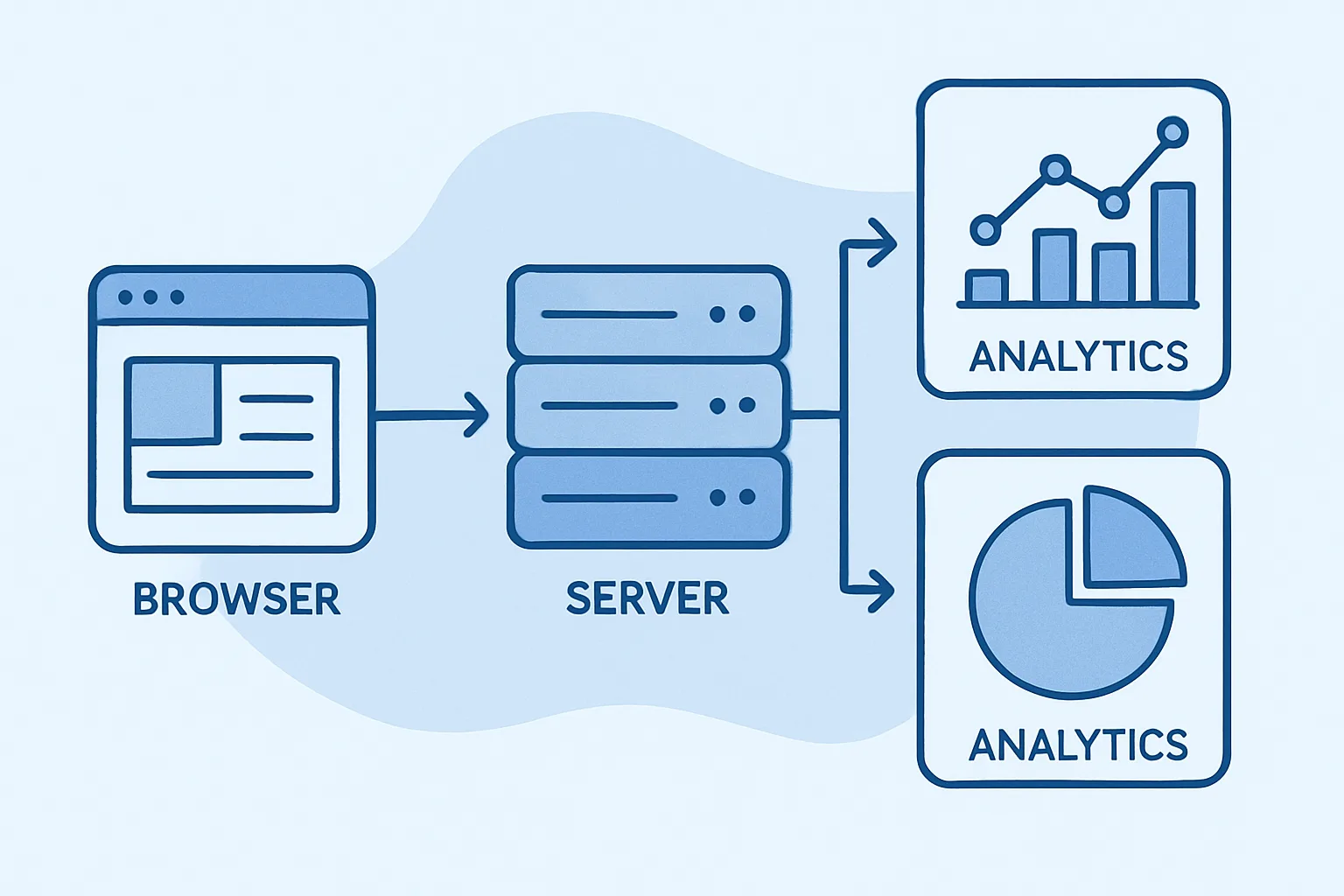
Instead of your browser sending data directly to Google Analytics or Meta, here is what happens with server-side tracking:
- The user's browser sends a smaller, less-targeted signal to your server (or a server you control)
- Your server receives this signal, validates and enriches it with additional data (server-side information like purchase records, CRM data, etc.)
- Your server forwards the enriched event to the analytics platforms (GA4, Google Ads, Meta CAPI, etc.)
Because the communication between your server and the analytics platforms happens server-to-server (not in the user's browser), ad blockers and browser privacy features cannot intercept it.
What Changes for Users
Nothing visible changes for website visitors. They still see your website the same way. The difference is only in where the tracking data flows — through your server instead of directly from their browser.
What Changes for Your Data
The improvements are significant:
- More complete data: events that would have been blocked by ad blockers now reach your analytics platforms
- Longer cookie lifetimes: first-party cookies set by your server last 2 years instead of 7 days (Safari ITP limitation)
- Better data quality: server-side events can be enriched with confirmed server-side data (e.g. actual purchase amounts from your payment system, not from a browser tag that might have errors)
- More control: you decide what data leaves your server to third-party platforms — you can redact PII, add custom parameters, and filter events
- Privacy compliance improvements: you have a clear audit trail of what data was sent where
What Is a Tagging Server?
In the server-side tracking context, a "tagging server" is the server component that receives events from your website, processes them, and forwards them to analytics platforms. Google's server-side GTM (sGTM) is the most widely used tagging server. It runs on Google Cloud Platform, AWS, or other hosts, and uses the familiar GTM interface to configure which events go to which platforms.
Is It Technically Complex?
More complex than client-side tracking, but not as complex as it sounds. If you are using Google's server-side GTM, the interface is similar to standard GTM. The main additional requirement is deploying and maintaining the tagging server infrastructure — which has been significantly simplified by hosted solutions like Stape and Taggrs that manage the infrastructure for you.
Summary
Server-side tracking moves your analytics from the user's browser to your server, recovering data lost to ad blockers and browser privacy restrictions, improving cookie lifetimes, and giving you more control over your data. It is no longer just for enterprise — many businesses with significant ad spend find it essential for data quality.
See our Server-Side Tracking service for professional implementation.
Want to know if server-side tracking is right for you? Contact Adslytics.
Need expert tracking setup?
Our Google Tag Manager experts have delivered 500+ tracking setups with a 98% success rate.
Get a Free Consultation →