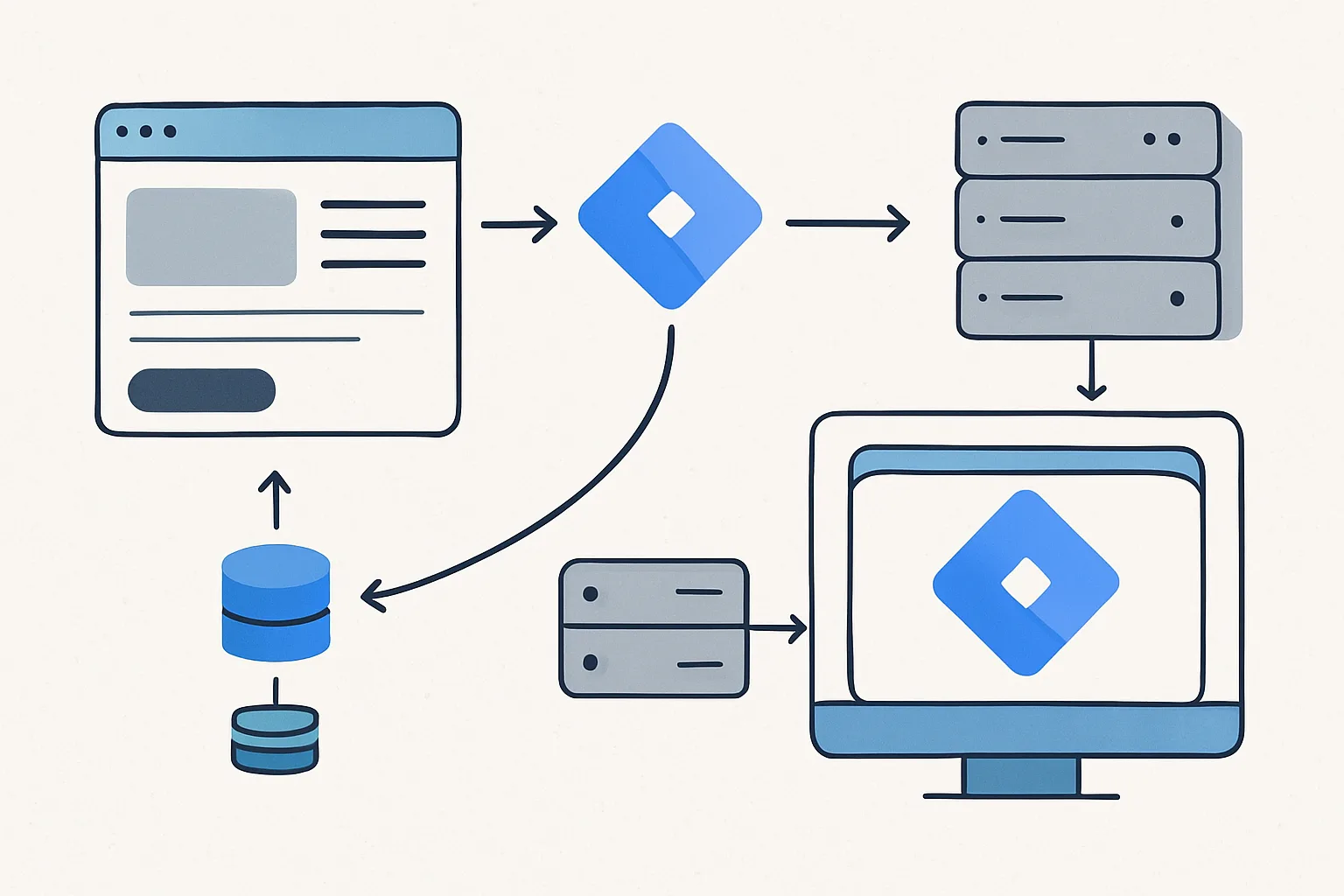
Client-Side vs Server-Side GTM Architecture
In client-side GTM, the GTM container runs in the user's browser and reads from the window.dataLayer JavaScript array. In server-side GTM, the container runs on a server and processes HTTP requests — there is no browser DOM, no JavaScript execution environment, and no window object. The data model is entirely different.
What Replaces the Data Layer in sGTM
In server-side GTM, the equivalent of the data layer is the event data — the structured JSON payload that comes into the sGTM container from a client (typically a web page sending events via the Measurement Protocol or the sGTM web tagging snippet).
The most common setup: web GTM sends GA4 events to the sGTM container URL instead of directly to Google. The sGTM container receives these as HTTP POST requests with JSON payloads. Tags in the server container can then forward these events to Meta CAPI, GA4, Google Ads, etc.
The Server-Side Event Model
In the sGTM container, every incoming request creates an "event" with structured data. Tags and variables in the server container read from this event data rather than from a browser data layer array.
Server-side variables read from event data using variable names like:
Event Name→ the name of the event (e.g. "purchase")Event Data→ an API to access all event fieldsx-ga-mp2-seg→ GA4 measurement protocol segment fields- Custom variables can call
getAllEventData()to read any field from the incoming event
Passing Data from Web to Server Container
For the server container to have access to your business data (order ID, revenue, product details), this data must be included in the event sent from the web page to the sGTM container. The typical flow:
- Web page pushes event to client-side data layer:
dataLayer.push({'event':'purchase','ecommerce':{...}}); - Web GTM picks up the event and sends it to the sGTM container URL (via the GA4 Configuration tag pointing to sGTM)
- sGTM container receives the event with all ecommerce fields included in the payload
- sGTM server tags read the ecommerce data from the event and forward it to Meta CAPI, GA4, etc.
Server-Side Custom Templates
When you need data transformation in the server container (combining fields, adding server-side data like order enrichment from your database), you can write custom tag and variable templates using the sGTM sandbox JavaScript API:
// In a custom variable template in sGTM
const getAllEventData = require('getAllEventData');
const eventData = getAllEventData();

// Access any field from the incoming event
const transactionId = eventData['x-ga-ep-transaction_id'];
const revenue = eventData['x-ga-ep-value'];
Key Differences Summary
| Feature | Client-Side GTM | Server-Side GTM |
|---|---|---|
| Data source | window.dataLayer array | Incoming HTTP request payload |
| Data access API | Data Layer Variables | Event Data variables / getAllEventData() |
| Execution context | Browser JavaScript | Node.js-like server sandbox |
| Triggers | Page view, click, custom event, etc. | Every incoming HTTP request creates an event |
| Data enrichment | Limited to browser-available data | Can add server-side data (CRM, DB, API calls) |
Summary
Server-side GTM does not use a window.dataLayer array — it processes incoming HTTP event payloads instead. Data from the client-side data layer reaches the server container only if it is included in the event sent from the web page to the sGTM endpoint. Server container templates use sandbox JavaScript APIs (getAllEventData, etc.) to read event data rather than GTM's standard Data Layer Variable type.
See our Server-Side Tracking service for sGTM implementation.
Need server-side GTM set up? Contact Adslytics.
Need expert tracking setup?
Our Google Tag Manager experts have delivered 500+ tracking setups with a 98% success rate.
Get a Free Consultation →